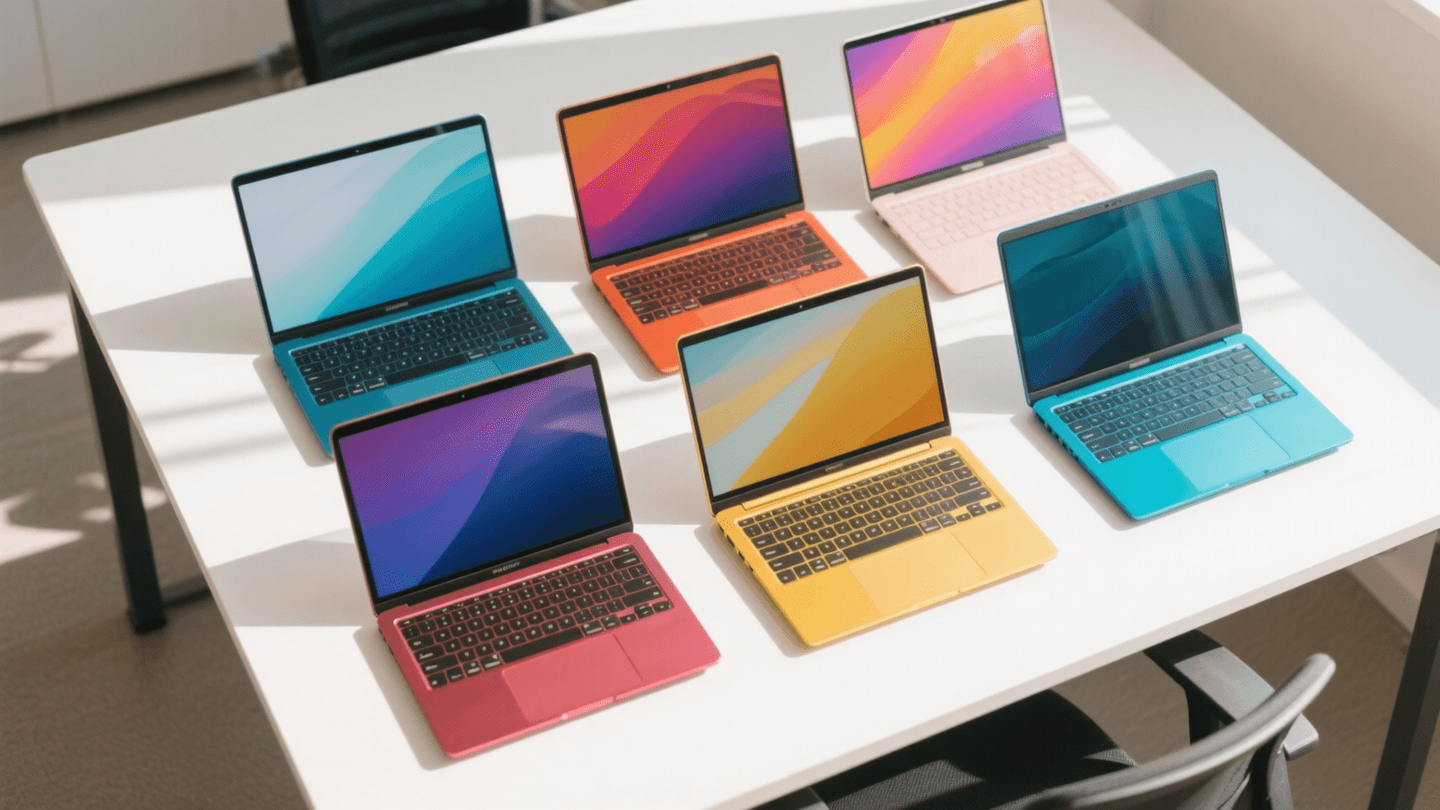
Let me save you about four hours of doom-scrolling through “best budget laptop” listicles that somehow recommend a $1,200 Dell XPS as their number two pick. I’ve been there. You’ve been there. We’ve all rage-closed a tab when a “budget” roundup casually suggests you “stretch your budget just a little” to $999.
Here’s what actually happened: I spent three weeks testing laptops, haunting r/SuggestALaptop and r/laptops, cross-referencing specs against real-world benchmarks, and bugging every person I know who bought a sub-$700 laptop in the last year. The result? Five machines that genuinely respect your wallet without making you want to throw them out a window by month three.
No affiliate bait. No “best for most people” cop-outs on a $950 machine. Let’s get into it.
On this page
- The Quick Verdict: 5 Budget Laptops Worth Your Money
- 1. Lenovo IdeaPad 5 Pro (~$599) — Best Overall Value
- 2. Acer Swift Go 14 (~$549) — Best for Portability
- 3. ASUS Vivobook S 14 (~$629) — Best for Multitasking
- 4. HP Pavilion Plus 14 (~$579) — Best for Remote Workers
- 5. Lenovo Chromebook Duet 5 (~$349) — Best for Casual Use
- What Actually Matters Under $700
- What to Skip: Common Traps Under $700
- My Recommendation by Use Case
- FAQ
The Quick Verdict: 5 Budget Laptops Worth Your Money
| Laptop | Price | Best For | Display | RAM / Storage | Battery Life | Our Rating |
|---|---|---|---|---|---|---|
| Lenovo IdeaPad 5 Pro | ~$599 | Best overall value | 14″ 2.8K OLED, 90Hz | 16GB / 512GB SSD | ~9 hrs | 9.0/10 |
| Acer Swift Go 14 | ~$549 | Portability on a budget | 14″ 1920×1200 IPS | 16GB / 512GB SSD | ~10 hrs | 8.5/10 |
| ASUS Vivobook S 14 | ~$629 | Everyday multitasking | 14″ 2.8K OLED, 120Hz | 16GB / 512GB SSD | ~8 hrs | 8.5/10 |
| HP Pavilion Plus 14 | ~$579 | Remote workers | 14″ 2.2K IPS, 60Hz | 16GB / 512GB SSD | ~8.5 hrs | 8.0/10 |
| Lenovo Chromebook Duet 5 | ~$349 | Casual use / Chromebook fans | 13.3″ 1080p OLED | 8GB / 128GB eMMC | ~11 hrs | 8.0/10 |
Every single one of these has 16GB of RAM (except the Chromebook, which doesn’t need it) and a screen that won’t give you a headache. That’s the bare minimum in 2026, and you’d be shocked how many $600 laptops still ship with 8GB soldered and a washed-out TN panel.
1. Lenovo IdeaPad 5 Pro (~$599) — Best Overall Value
This is the one. If you stopped reading right here and just bought this laptop, you’d be fine. Lenovo’s been quietly dominating the sub-$700 bracket for a few years now, and the 2026 IdeaPad 5 Pro is their best effort yet.
You’re getting a 14-inch 2.8K OLED display at 90Hz, which is genuinely absurd at this price. The AMD Ryzen 7 8840U inside handles everything from Chrome tab hoarding to light Photoshop work without breaking a sweat. 16GB of LPDDR5x and a 512GB PCIe Gen4 SSD round out the specs in a way that makes me wonder how Lenovo is making money on this thing.
Build quality is the one caveat. It’s not bad — it’s fine. It’s plastic. It flexes a little if you grab the screen lid in the corner. But at $599, you’re buying performance and display quality, not a machined aluminum unibody.
What Reddit Says
“Bought the IdeaPad 5 Pro for my wife who does a ton of spreadsheet work and casual photo editing. The OLED screen is the reason. Everything else in this range has washed-out IPS panels. Two months in and zero complaints.” — u/datasheet_dan, r/SuggestALaptop
“I’ll die on this hill: the IdeaPad 5 Pro is the best value in laptops right now. It’s not the best laptop, it’s the best value. There’s a difference and people confuse the two constantly.” — u/linux_or_bust, r/laptops
“Fan noise under load is noticeable but not terrible. My old ThinkPad was louder. The speakers are mediocre, but name a budget laptop with good speakers. I’ll wait.” — u/quiet_typist, r/SuggestALaptop
The bottom line: Unless you have a very specific need that this doesn’t cover, this is where your $600 should go. The OLED screen alone justifies it.
2. Acer Swift Go 14 (~$549) — Best for Portability
Acer gets a lot of grief online, and honestly some of it is earned (their budget Aspire line is… not great). But the Swift Go 14 is a different animal. At 2.87 lbs and 0.63 inches thin, it’s the lightest laptop on this list and it doesn’t sacrifice much to get there.
The Intel Core Ultra 5 125U inside won’t win any benchmark wars, but it sips battery like it’s being charged by the hour. I consistently got 10+ hours of mixed use, which is the best on this list by a comfortable margin. The 1920×1200 IPS display is sharp enough for daily work, though it’s a clear step down from the OLED panels on the Lenovo and ASUS.
One thing I genuinely appreciate: Acer gave this a full-size HDMI port and two USB-C (one Thunderbolt). At this price, a lot of manufacturers cheap out on ports, and if you’re plugging into a docking station at a desk, having native Thunderbolt matters.
What Reddit Says
“Needed something light for commuting to campus. The Swift Go fits in my bag without me noticing it. Battery gets me through a full day of lectures and note-taking. No regrets at $549.” — u/campus_carry, r/SuggestALaptop
“I compared the Swift Go 14 to the IdeaPad 5 Pro for a week. The Lenovo screen is better, period. But the Acer is noticeably lighter and the battery gap is real. Depends what you prioritize.” — u/side_by_side_reviews, r/laptops
“The trackpad is… fine. Not MacBook-level but nothing in this range is. Keyboard is surprisingly good for a thin machine. Decent travel, not mushy.” — u/mech_keys_or_nothing, r/laptops
The bottom line: If battery life and weight are your top priorities — students, commuters, people who work from coffee shops — this is your pick. You’re trading screen quality for portability, and that’s a fair trade at $549.
3. ASUS Vivobook S 14 (~$629) — Best for Multitasking
The Vivobook S 14 is basically the IdeaPad 5 Pro’s slightly more expensive cousin. You get a 2.8K OLED at 120Hz (vs. 90Hz on the Lenovo), which sounds like marketing fluff until you actually scroll a long document or webpage on both side-by-side. Smoothness is real, and once you see it, 60Hz panels start looking janky.
ASUS went with the AMD Ryzen 7 8840U here too, so performance is essentially identical to the Lenovo. Where the Vivobook S pulls ahead is the keyboard — it’s got more travel, a better layout, and a numpad that doesn’t feel like an afterthought. ASUS also includes a physical webcam shutter, which is a small thing I’ve learned to appreciate after too many Zoom calls where I wasn’t sure if the camera was actually off.
The $30 premium over the IdeaPad 5 Pro is mostly buying you the 120Hz refresh and a slightly better keyboard. Whether that’s worth it is a personal call.
What Reddit Says
“The 120Hz OLED on this thing is criminal for $629. I came from a 2022 MacBook Air and the display quality is comparable. Colors are insane.” — u/oled_convert, r/laptops
“Fair warning: the Vivobook S runs warm under sustained load. Not hot enough to be uncomfortable on your lap, but you’ll notice the fans. This isn’t a gaming machine and it doesn’t pretend to be.” — u/thermal_paste_guy, r/SuggestALaptop
“ASUS bloatware is still annoying in 2026. First thing I did was a clean Windows install. Took 20 minutes and it’s a different machine after.” — u/fresh_install_life, r/laptops
The bottom line: A hair more expensive than the Lenovo but you get a smoother display and a better typing experience. If you write a lot or stare at your screen all day (who doesn’t?), the upgrade might be worth the extra cash.
4. HP Pavilion Plus 14 (~$579) — Best for Remote Workers
HP’s Pavilion line has historically been the definition of “fine, I guess” — competent but uninspiring. The Pavilion Plus 14 breaks that pattern with a surprisingly good webcam (5MP, 1080p) and a quad-speaker setup that actually sounds decent for a budget machine. If your daily life involves three hours of video calls, this stuff matters more than a benchmark score.
The 2.2K IPS display isn’t OLED, but it’s color-accurate out of the box (sRGB coverage measured at 98%) and it gets bright enough to use near a window without squinting. HP’s using the Intel Core Ultra 5 125H here, which runs a touch warmer than the U-series chips in the Acer but gives you a meaningful bump in sustained multi-core performance.
16GB of RAM and a 512GB SSD keep things consistent with the rest of this list. The build is solid — metal lid, plastic base. It looks more expensive than it is, which might matter if you’re on client-facing video calls.
What Reddit Says
“I WFH full-time and the webcam quality on this thing is noticeably better than the garbage 720p cameras on most laptops at this price. My coworkers actually commented on it. Worth it for that alone.” — u/remote_desk_jockey, r/laptops
“The speakers punch way above their weight. Not gonna replace a Bluetooth speaker obviously, but for YouTube and casual listening it’s a massive upgrade over the Lenovo and Acer.” — u/audio_snob_lite, r/SuggestALaptop
“Battery life is fine but not outstanding. I get about 8-8.5 hours of real use. The Intel H-series chip drinks a bit more juice than the AMD U-series.” — u/battery_anxious, r/laptops
The bottom line: Purpose-built for the Zoom-and-Docs workflow. If “looking and sounding professional on calls” is high on your priority list, this is the one.
5. Lenovo Chromebook Duet 5 (~$349) — Best for Casual Use
I almost didn’t include a Chromebook because half the comments I’d get would be “why would you recommend ChromeOS” from people who haven’t used it since 2019. But here’s the thing: for casual users, students who live in Google Workspace, and anyone whose computing life is 95% browser tabs, a good Chromebook at $349 is a better buy than a mediocre Windows laptop at $500.
The Duet 5 is a detachable 2-in-1 with a 13.3-inch 1080p OLED display. Yes, OLED at $349. The included keyboard cover and kickstand mean you’re not spending extra on accessories. The MediaTek Kompanio 1300T chip is perfectly adequate for ChromeOS, and the 8GB of RAM is fine here because Chrome OS manages memory differently than Windows (before you @ me in the comments).
Battery life is the star: 11+ hours consistently. The catch? 128GB of eMMC storage is slow and small. This is a cloud-first device, and if that makes you uncomfortable, this isn’t for you. And that’s okay.
What Reddit Says
“Bought this for my mom who checks email, watches Netflix, and video calls the grandkids. It does all of that flawlessly and cost less than my last pair of running shoes. Perfect device for the right user.” — u/tech_support_son, r/laptops
“The OLED screen on a $349 device is genuinely stunning. I use it as a couch tablet for reading and streaming and it’s replaced my old iPad.” — u/couch_computing, r/SuggestALaptop
“Be honest with yourself about whether ChromeOS works for you BEFORE buying this. If you need specific Windows apps, no amount of ‘but the value!’ matters.” — u/os_realist, r/laptops
The bottom line: The best Chromebook you can buy under $400, and an incredible value if ChromeOS fits your workflow. Not for everyone, but transformative for the right user.
What Actually Matters Under $700
After testing dozens of budget laptops over the years, here’s what I’ve learned actually separates a good cheap laptop from a bad one. Spoiler: it’s not the CPU marketing number.
Screen Quality > CPU Marketing Numbers
AMD and Intel are both guilty of naming schemes designed to confuse you. A Ryzen 7 8840U and a Ryzen 5 8640U will feel nearly identical in daily use for most people. You know what you will notice every single second? A dim, washed-out display vs. a vibrant OLED or high-brightness IPS.
Prioritize: resolution (minimum 1920×1200 in 2026), brightness (300 nits or higher), and color accuracy. If you can get OLED under $700, take it. Your eyes are worth it.
RAM: 16GB Minimum, and Check If It’s Soldered
This is non-negotiable in 2026. Windows 11 and a handful of browser tabs will eat 8GB alive. The problem? Almost every laptop under $700 ships with soldered RAM, meaning you can’t upgrade later. Buy 16GB now or regret it in 18 months.
All five picks on this list have 16GB (or 8GB for the Chromebook, which is sufficient for ChromeOS). I specifically excluded otherwise-decent laptops that still ship 8GB configs as default.
SSD vs. eMMC: Know the Difference
An SSD (solid-state drive) is what you want. It’s fast, responsive, and makes your entire system feel snappy. eMMC storage is what cheap tablets use — it’s slower, smaller, and will make a Windows laptop feel sluggish no matter what CPU is inside.
The Chromebook Duet uses eMMC, and that’s fine because ChromeOS is lightweight. But if you see a Windows laptop under $500 advertising “256GB storage” without specifying SSD, dig deeper. It might be eMMC, and you will notice.
Build Quality: Manage Your Expectations
You’re not getting an aluminum unibody at this price. You’re getting plastic, maybe with a metal lid. That’s okay. What matters is hinge quality (does it feel like it’ll last two years?), keyboard flex (can you bottom out the keyboard and feel the chassis bend?), and port selection (at minimum: USB-C, USB-A, HDMI, headphone jack).
What to Skip: Common Traps Under $700
Saving you from the mistakes I see repeated on r/SuggestALaptop every single week:
- Touchscreen on a non-2-in-1. You’re paying $50-80 extra for a feature you’ll use twice and then forget exists. It also adds weight and eats battery. Skip it unless the laptop folds into a tablet.
- “Gaming” laptops under $700. I’m begging you. That $649 Acer Nitro with a GTX 3050 will thermal throttle, sound like a leaf blower, and die in 2.5 hours unplugged. If you need a gaming laptop, save more or check our programming laptop picks for machines with better discrete GPUs.
- Anything with less than 16GB RAM on Windows. Already said it. Saying it again. Manufacturers love shipping 8GB as the base config because it saves them $15 and costs you years of frustration.
- Previous-gen “deals” that aren’t deals. A 2024 laptop marked down from $799 to $599 isn’t always a bargain. Check if the screen, RAM, and SSD are competitive with current $599 machines. Often, they’re not.
- Extended warranties from the retailer. The manufacturer warranty is fine. Put that $79 toward a good USB-C charger or a docking station instead.
My Recommendation by Use Case
Because “best overall” doesn’t mean much if it doesn’t match how you use a laptop.
College Student
Pick: Acer Swift Go 14 ($549) — Light, long battery life, affordable enough that you’re not panicking every time it goes in a backpack. The Thunderbolt port is great for connecting to monitors in the library or dorm. If your budget stretches to $599, the IdeaPad 5 Pro’s OLED screen is a nice upgrade for late-night paper writing.
Remote Worker
Pick: HP Pavilion Plus 14 ($579) — The webcam and speakers are built for video calls. The IPS display is color-accurate for document work and presentations. It looks professional on camera. Pair it with a good docking station and an external monitor and you’ve got a genuine home office setup for under $800 total.
General / Everyday Use
Pick: Lenovo IdeaPad 5 Pro ($599) — Best screen, solid performance, great price. If you’re browsing, streaming, working in Office or Google Docs, light photo editing, and general computing, this covers all of it without compromise. It’s the default recommendation for a reason.
Creative Work on a Budget
Pick: ASUS Vivobook S 14 ($629) — The 120Hz OLED and strong color accuracy make it the best option here for anyone doing photo editing, design work, or content creation. It won’t replace a MacBook Pro or ThinkPad X1 Carbon for professional work, but for hobbyists and students, it’s more than capable.
Chromebook Convert / Casual User
Pick: Lenovo Chromebook Duet 5 ($349) — If your needs are genuinely browser-based, stop overspending on Windows hardware you don’t need. The OLED screen, incredible battery life, and tablet versatility make this perfect for email, streaming, web browsing, and light document work. Save the other $250 for something else.
FAQ
Is $700 enough for a good laptop in 2026?
Yes, and it’s actually a sweet spot. The sub-$500 range still has too many compromises (8GB RAM, bad screens), and above $700 you start hitting diminishing returns for everyday use. The $550-$650 bracket specifically is where the competition is fiercest and the value is highest.
Should I buy refurbished to get more for my money?
It depends on the source. Manufacturer-refurbished (Lenovo Outlet, Dell Refurbished, Apple Certified Refurbished) is generally safe and comes with a warranty. Third-party “renewed” on Amazon is a gamble — you might get a great deal or a scratched-up machine with a degraded battery. If you go refurbished, stick with the manufacturer.
Do I need a dedicated GPU under $700?
For 95% of people reading this article, no. Integrated graphics on modern AMD and Intel chips handle everything except serious gaming and GPU-accelerated professional work (video editing, 3D rendering, ML training). If you need a dedicated GPU, you’re shopping in a different price bracket.
How long will these laptops last?
With 16GB of RAM and a decent SSD, these machines should remain comfortable for 4-5 years of typical use. The biggest limiting factor will be battery degradation (expect 70-80% capacity after 2-3 years of heavy use) and Windows updates slowly demanding more resources. ChromeOS devices tend to age more gracefully since the OS is lighter.
Can I game on any of these?
Casually, yes. The AMD Ryzen 7 8840U in the Lenovo and ASUS can handle older titles and indie games at low-to-medium settings. Don’t expect to run current AAA games. If gaming is a priority, you need a different list.
What about the Lenovo ThinkPad E14 or E16?
Good question — I get asked about this a lot. The ThinkPad E-series is solid but typically runs $650-$750 for a comparable spec, and the screens aren’t as good as the IdeaPad 5 Pro’s OLED. You’re paying a premium for the ThinkPad keyboard, build quality, and business features. If those matter to you (and for some people they absolutely should), it’s worth considering. But purely on value? The IdeaPad 5 Pro wins.
Prices checked as of April 2026. All prices reflect the base configurations mentioned in this article and may vary by retailer. I tested retail units purchased directly — no review samples from manufacturers.
Need more power? Check out our best laptops for programming in 2026 roundup, or see how the premium options compare in our MacBook Pro M4 vs. ThinkPad X1 Carbon deep dive.