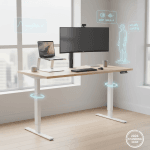
Full standing desks start at $400 and climb fast. If you want a FlexiSpot E7 or Uplift V2 with all the trimmings, you’re looking at $600-800. That’s a significant investment in furniture you might not even like using — because standing for eight hours isn’t the utopia some ergonomics blogs would have you believe. It’s tiring, your feet hurt, and after the novelty wears off, a lot of people end up standing the desk all the way back down and never raising it again.
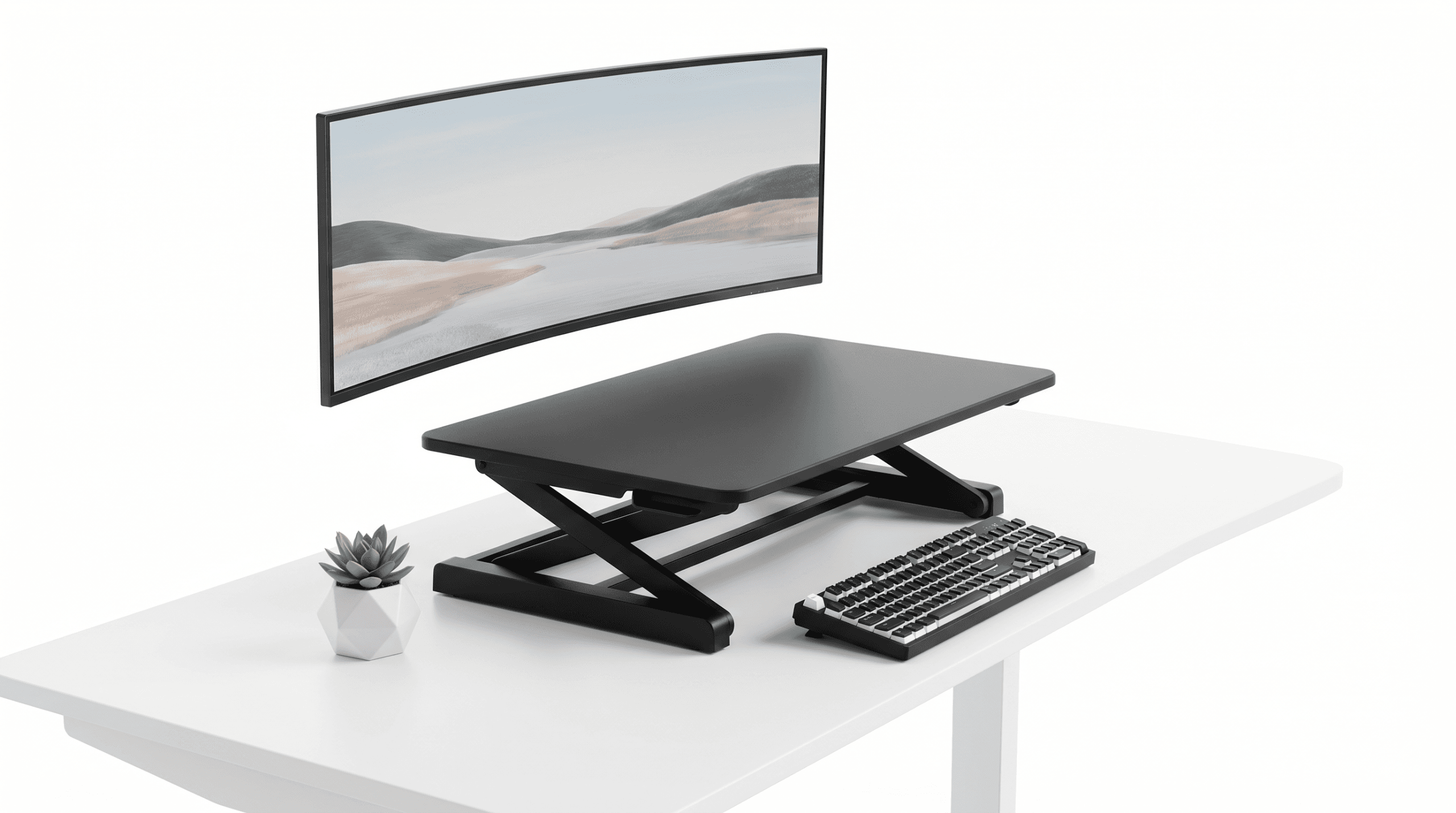
Standing desk converters offer a different proposition: put one on top of your existing desk, stand when you want, sit when you don’t, and skip the $600 furniture commitment. The best ones cost $150-300 and do the job without wobbling, collapsing, or looking like a piece of medical equipment in your home office. The worst ones do all of those things. I tested five. Here’s the breakdown.
If you’re also looking at the chair side of the equation, our best ergonomic chairs for programmers guide pairs well with this one — the best setup includes both a good chair and the option to stand.
On this page
Converter vs Full Standing Desk: The Quick Math
| Factor | Standing Desk Converter | Full Standing Desk |
|---|---|---|
| Typical price | $100 – $300 | $400 – $900+ |
| Keeps existing desk | Yes | Replaces it |
| Setup time | 5 minutes | 1-3 hours assembly |
| Surface area | 24-36 inches wide | 48-72 inches wide |
| Height range | 6-20 inches above desk | 24-50 inches (floor to surface) |
| Stability | Varies (often wobbles) | Generally stable |
| Portability | Can move between desks | Stays put |
Converters trade surface area and absolute stability for lower cost and zero commitment. If you’re renting and can’t discard the desk your landlord provided, or if you want to try standing before investing in a motorized desk, a converter makes sense.
Quick Verdict: The Top 5 Under $300
| Model | Price | Surface Size | Max Height | Weight Capacity | Lift Mechanism | Best For |
|---|---|---|---|---|---|---|
| FlexiSpot M7B | ~$250 | 35″ x 23″ | 19.3″ | 33 lbs | Gas spring | Overall best |
| VIVO V000K | ~$120 | 32″ x 22″ | 17.5″ | 33 lbs | Gas spring | Best value |
| Fezibo 32″ | ~$140 | 32″ x 20″ | 16.5″ | 28 lbs | Gas spring | Compact spaces |
| Seville Classics airLIFT | ~$195 | 35.4″ x 23.2″ | 15.9″ | 33 lbs | Gas spring | Dual-monitor setups |
| Rocelco EADR | ~$175 | 37″ x 22″ | 19.7″ | 50 lbs | Gas spring | Heavy equipment |
The Reviews
FlexiSpot M7B — The One That Just Works
Price: ~$250 | Surface: 35″ x 23″ | Max Height: 19.3″
FlexiSpot makes full standing desks too, and that expertise shows in the M7B. The gas spring mechanism is smooth — one-handed raise and lower with no jerky resistance. The keyboard tray is separate from the main surface, which means your keyboard stays at a proper height while your monitors go higher. This matters more than people realize. When your keyboard and monitors share the same platform (as they do on most cheaper converters), you end up with your arms too high or your screen too low. The split design fixes that.
Stability is good, not perfect. There’s a slight wobble at full height with a 27-inch monitor, but nothing that makes typing difficult. The surface is large enough for a 32-inch monitor or dual 24-inch monitors plus a desk lamp.
At $250, it’s the most expensive converter here, but the build quality and split-platform design justify the premium for daily use.
The good: Smooth lift mechanism, separate keyboard tray, large surface, stable enough for daily use. The less good: Priciest option, still wobbles slightly at full extension, heavy (37 lbs assembled).
VIVO V000K — Budget King
Price: ~$120 | Surface: 32″ x 22″ | Max Height: 17.5″
The VIVO V000K has been the go-to budget recommendation on r/standingdesk for three years running, and I understand why. For $120, you get a gas-spring converter with a separate keyboard tray that handles a single 27-inch monitor without complaint. The lift mechanism is slightly stiffer than the FlexiSpot, requiring two hands for smooth operation, but it locks solidly at every height position.
Build quality is basic — the surface is laminated particleboard, not solid — but at this price point, that’s expected. It’ll scratch if you’re not careful, but it’s perfectly functional.
“Bought the VIVO V000K for my home office two years ago. It’s not beautiful. The surface has a coffee ring. But I’ve used it every single workday without a problem. For $120 that’s about all you can ask for.” — u/wfh_since_2020, r/standingdesk
The good: Excellent value, separate keyboard tray, proven reliability, lightweight. The less good: Surface scratches easily, stiffer lift mechanism, slightly wobbly with heavier monitors.
Fezibo 32″ — The Compact Option
Price: ~$140 | Surface: 32″ x 20″ | Max Height: 16.5″
If your desk is on the smaller side — a 48-inch desk or less — the Fezibo’s compact footprint works where the larger converters don’t. The 20-inch depth is the shallowest here, which keeps it from overhanging the front edge of smaller desks.
The trade-off is the 16.5-inch max height, which is the lowest on this list. If you’re over 6’1″, the monitors may sit too low in standing position even with this fully raised. For people 5’5″ to 5’11”, it’s fine. The keyboard tray is narrower than the FlexiSpot or VIVO, which can get crowded if you use a full-size keyboard alongside a mouse.
The good: Compact footprint, affordable, good for smaller desks, stable for its size. The less good: Low max height, narrow keyboard tray, not great for tall users.
Seville Classics airLIFT — The Wide Surface
Price: ~$195 | Surface: 35.4″ x 23.2″ | Max Height: 15.9″
The Seville Classics has the widest surface area here, making it the best option for dual-monitor setups. Two 24-inch monitors sit comfortably with room for a desk lamp or coffee mug. The surface material is a step up from the VIVO — a denser laminate that resists scratches better.
The height limitation is the concern. At 15.9″ max, this is the second-shortest converter on the list. It works well if your existing desk is already at standard height (29-30 inches) and you’re of average height. For taller users or lower desks, the FlexiSpot or Rocelco are better choices.
The gas spring on this model is one of the smoothest — genuinely one-handed operation with a firm, controlled descent. No slamming down when you release the lever.
The good: Widest surface for dual monitors, smooth lift mechanism, durable surface. The less good: Limited max height, heavy and bulky when folded, pricier than VIVO for similar build quality.
Rocelco EADR — The Heavy Lifter
Price: ~$175 | Surface: 37″ x 22″ | Max Height: 19.7″
The Rocelco EADR stands out for two things: the highest maximum height (19.7″) and the highest weight capacity (50 lbs). If you’re running a 32-inch monitor plus a secondary display, or if you’re tall and need the extra elevation, this is the one to look at.
The 37-inch wide surface is generous — the widest here. The trade-off is stability. At full height with heavy equipment, there’s noticeable front-to-back wobble. Not dangerous, but distracting if you’re a heavy typist. Adding a small anti-fatigue mat under the converter (which you should have anyway for your feet) helps stabilize it against the desk.
“I’m 6’3″ and the Rocelco is the only converter under $300 that actually puts my monitors at the right height. Everything else leaves me looking down, which defeats the whole ergonomic purpose.” — u/tall_dev_problems, r/standingdesk
The good: Tallest height, widest surface, highest weight capacity, handles heavy setups. The less good: Wobbles at max height, heavier than other converters (42 lbs), no cable management.
The Ergonomic Setup Nobody Gets Right
Buying a standing desk converter and just putting your stuff on it is like buying running shoes and never tying them. You’ll use it, but you’ll hurt yourself. Here’s what actually matters:
Monitor height: The top of your screen should be at or slightly below eye level. If you’re craning your neck up, the monitor is too high. If you’re looking down more than 15 degrees, it’s too low. This is the most common mistake — people raise the converter to its max height and end up with their monitor at forehead level.
Keyboard position: Your elbows should be at 90 degrees or slightly open (100-110 degrees). Your wrists should be neutral — not bent up or down. This is why converters with separate keyboard trays (FlexiSpot, VIVO, Fezibo) are better than single-surface designs.
The 20-8-2 rule: For every 30 minutes, sit for 20, stand for 8, and move/stretch for 2. This is what the ergonomics research actually supports. Not “standing all day.” Not “sitting all day.” Alternating. A converter makes this easy because switching takes three seconds.
Get an anti-fatigue mat. Standing on a hard floor for 8 minutes at a time might seem fine. After a week, your feet, knees, and lower back will disagree. A $30 anti-fatigue mat from Amazon makes standing genuinely comfortable. Our desk setup guide covers the full ergonomic picture.
What Reddit Learned the Hard Way
“Standing all day is not better than sitting all day. It’s just a different way to hurt yourself. The benefit comes from switching positions throughout the day. Took me 6 months and a very sore lower back to figure this out.” — u/standing_desk_regret, r/ergonomics
“PSA: Measure your desk height BEFORE buying a converter. My desk is 31 inches (taller than standard). The converter put my monitors at chest height when sitting and forehead height when standing. Had to return it and buy a different desk first.” — u/measure_twice_guy, r/standingdesk
Do You Even Need One?
A standing desk converter makes sense if:
- You sit for 6+ hours daily and want to break up the routine
- You can’t or don’t want to replace your current desk
- Your budget is under $300
- You’re willing to invest $30 extra in an anti-fatigue mat
It’s probably overkill if:
- You already take regular walking breaks
- Your work involves moving around (not pure desk work)
- You tried standing before and genuinely didn’t like it
- Your desk is too small for a converter and your equipment
Buy a full standing desk instead if:
- You’re furnishing a new office from scratch
- You want dual-monitor arms (converters interfere with clamp-style arms)
- You need more surface area than a converter provides
- You’re willing to spend $400+ for better stability and larger work surface
FAQ
Are standing desk converters stable enough for typing?
The good ones are. The FlexiSpot M7B and VIVO V000K are both stable enough for daily typing with minimal wobble. Cheaper, lighter converters tend to wobble more, especially at full height. If stability is your top priority, a full standing desk is always better.
How tall should I be for a standing desk converter to work?
Most converters work well for people between 5’4″ and 6’0″ when placed on a standard 29-30″ desk. If you’re over 6’1″, look for models with 18″+ max height (FlexiSpot M7B or Rocelco EADR). Under 5’4″, most converters will work, but you may not need full height extension.
Can I mount a monitor arm on a standing desk converter?
Some converters have reinforced edges that support clamp-style monitor arms, but it’s generally not recommended. The arm adds leverage that increases wobble, and the converter surface is often too thin for secure clamping. If you want a monitor arm, a full standing desk is a better base. Check our best monitors for coding guide for displays that work well in standing setups.
How long do standing desk converters last?
Gas spring mechanisms typically last 5-10 years with daily use. The surface and frame will outlast the spring mechanism. If the gas spring weakens over time (the converter starts sinking under weight), replacement springs are available for most models at $20-40.
Is standing really better for my health?
The research is nuanced. Standing all day is not significantly better than sitting all day. The health benefits come from alternating between positions and moving regularly. A standing desk converter facilitates this alternation, but only if you actually use both positions. Standing for 15-30 minutes per hour while working is a reasonable target.