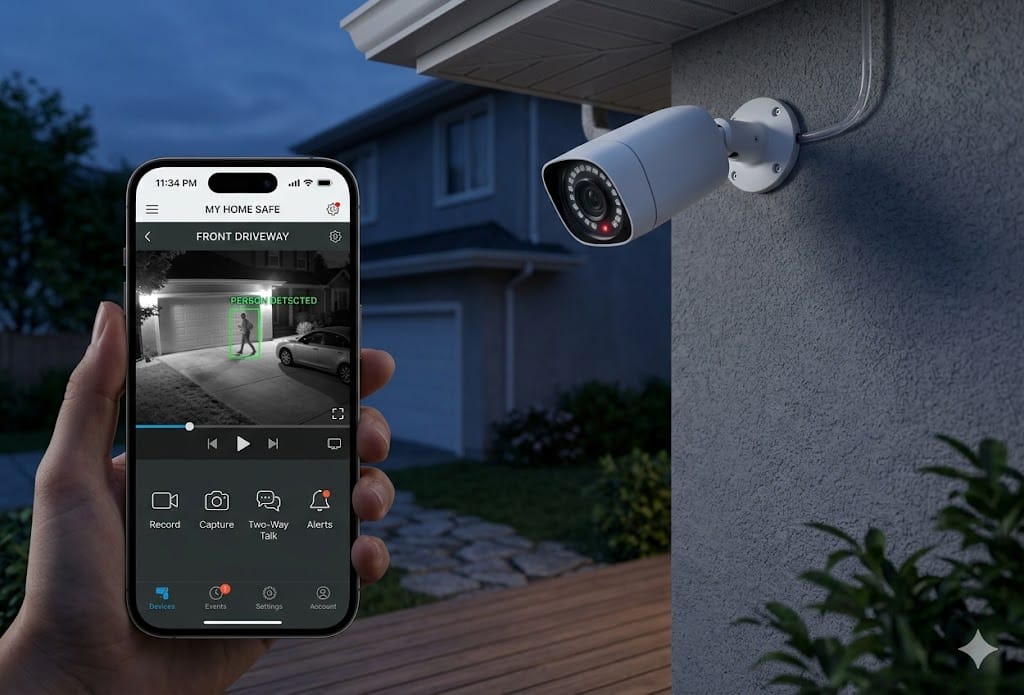
The home security camera industry has a dirty secret: most cameras are designed to sell you a subscription. The camera itself is the bait — cheap hardware that records to the company’s cloud, which costs $5-30/month forever. Over three years, a “budget” $50 camera with a $10/month subscription costs $410. That’s more than the best camera with free local storage.
I tested six security cameras specifically for their subscription-free capabilities. Every camera on this list stores video locally (SD card or NAS), sends real-time alerts to your phone, and doesn’t require any monthly payment to function fully.
On this page
- Quick Comparison
- Why “No Subscription” Matters More Than You Think
- 1. Reolink Argus 4 Pro — Best Overall ($130)
- 2. TP-Link Tapo C325WB — Best Value ($55)
- 3. Amcrest 4MP Turret — Best Budget PoE ($45)
- 4. Eufy SoloCam S340 — Best Wire-Free ($120)
- 5. Wyze Cam v4 — Best Ultra-Budget ($36)
- Setting Up Local Recording Without a Subscription
- Placement Tips That Actually Matter
- The Bottom Line
Quick Comparison
| Camera | Price | Resolution | Local Storage | Night Vision | Two-Way Audio | Rating |
|---|---|---|---|---|---|---|
| Reolink Argus 4 Pro | $130 | 4K | microSD + NAS | Color (spotlight) | Yes | 9.5/10 |
| TP-Link Tapo C325WB | $55 | 2K QHD | microSD + NAS | Color (starlight) | Yes | 9/10 |
| Amcrest 4MP Turret | $45 | 4MP (2K) | microSD + NAS | IR (50ft) | Yes | 8.5/10 |
| Eufy SoloCam S340 | $120 | 3K | Built-in 8GB | Color (spotlight) | Yes | 8.5/10 |
| Wyze Cam v4 | $36 | 2K QHD | microSD | Color (starlight) | Yes | 8/10 |
| Reolink RLC-810A | $65 | 4K | NAS (PoE) | IR (100ft) | Yes | 8.5/10 |
Why “No Subscription” Matters More Than You Think
The subscription model isn’t just about monthly cost — it’s about dependency. When your camera’s cloud recordings require a subscription:
Your recordings belong to the company. Ring, Nest, and Arlo all store footage on their servers. They’ve complied with law enforcement requests for footage without user consent in documented cases. Your “private” security footage isn’t fully private.
The company can change terms at any time. Nest increased subscription prices twice in the past three years. Ring removed features from the free tier to push subscriptions. Companies that control your footage storage control your costs.
If the company shuts down, your camera becomes dumb. We’ve covered this in our article on smart home devices not worth buying — cloud-dependent devices are one corporate decision away from becoming e-waste.
Local storage eliminates all of these problems. Your footage stays on your SD card or your NAS. No one accesses it without physical access to your property. No company can change your pricing. And the camera works regardless of what happens to the manufacturer.
1. Reolink Argus 4 Pro — Best Overall ($130)
The Argus 4 Pro is the best no-subscription security camera in 2026. Period. 4K resolution, color night vision with a built-in spotlight, 180-degree field of view with dual lenses, Wi-Fi 6, and battery-powered with optional solar panel charging. It records to a microSD card (up to 256GB) or your NAS via RTSP.
The dual-lens system is the standout feature. One wide-angle lens covers a 180-degree panoramic view while a second telephoto lens lets you zoom into specific areas with 4K detail. At night, the spotlight activates when motion is detected, providing full-color footage rather than the grainy green-tinted images from IR-only cameras.
The Reolink app is functional — live view, motion alerts, playback, and basic settings. It’s not as polished as Ring or Nest apps, but it does everything you need without requiring an account or subscription. Motion detection alerts are fast (under 2 seconds) and the person/vehicle/pet detection is accurate enough that I rarely get false alerts from trees blowing in the wind.
Who it’s for
Anyone who wants the best image quality and most features without a subscription. The $130 price is higher than budget options, but it’s a one-time cost — no monthly fees ever. Over two years, it costs less than a $50 Ring camera with Protect Plus subscription ($50 + $100/year × 2 = $250).
2. TP-Link Tapo C325WB — Best Value ($55)
The Tapo C325WB delivers 90% of the Reolink’s capability at less than half the price. 2K QHD resolution (2560×1440) is sharp enough to read license plates at 25 feet and identify faces at 15 feet. The starlight sensor provides surprisingly good color night vision without a spotlight — it uses ambient light (street lamps, porch lights) to produce color footage in low light.
TP-Link’s Tapo app is well-designed and snappy. Motion zones, activity tracking, and privacy masks (blocking out areas you don’t want recorded) are all available without a subscription. The camera records to a microSD card (up to 512GB) and supports RTSP for NAS recording.
“Replaced two Ring cameras with Tapo C325WBs. Same motion alerts, same quality footage, zero subscription fees. Should have switched years ago.” — r/homedefense
Who it’s for
Budget-conscious buyers who want solid performance without breaking the bank. At $55, you can buy three Tapos for the price of one Ring Spotlight Cam, and you’ll never pay a subscription fee.
3. Amcrest 4MP Turret — Best Budget PoE ($45)
If you’re willing to run Ethernet cables, Power over Ethernet (PoE) cameras are more reliable than Wi-Fi cameras — no battery to charge, no Wi-Fi interference, and consistent performance. The Amcrest 4MP Turret is the entry point for PoE home security, and at $45 it’s absurdly good value.
The 4MP (2K) resolution is sharp, the IR night vision reaches 50 feet, and the metal housing feels like it’ll survive years of outdoor exposure. It records to a microSD card or any ONVIF-compatible NAS (Synology, QNAP, or a DIY system running Blue Iris or Frigate).
Who it’s for
Homeowners who are comfortable running Ethernet cables and want a professional-grade setup at consumer prices. PoE cameras are the most reliable option for permanent installations — no batteries to die, no Wi-Fi to drop.
4. Eufy SoloCam S340 — Best Wire-Free ($120)
Eufy’s SoloCam S340 has a built-in solar panel that keeps the battery charged in most climates — truly install-and-forget. The 3K resolution and dual-lens design (wide + telephoto with 8x hybrid zoom) deliver excellent image quality. All footage stores on the built-in 8GB eMMC storage — no SD card needed.
The trade-off
The 8GB internal storage limits recording capacity to roughly 2-3 days of events before older footage is overwritten. You can’t expand storage with an SD card. If continuous recording is important, the Reolink Argus 4 Pro with a 256GB SD card is the better choice.
5. Wyze Cam v4 — Best Ultra-Budget ($36)
Wyze built its reputation on affordable cameras, and the Cam v4 continues that tradition. At $36, it’s the cheapest camera on this list — and it’s good. 2K QHD, excellent starlight color night vision, IP65 weather resistance, and a wide 130-degree field of view. It records to a microSD card with no subscription required for basic motion alerts.
The asterisk
Wyze’s free tier gives you motion alerts and SD card recording. But person detection, package detection, and cloud event clips require Cam Plus at $1.99/month. The camera works without the subscription, but advanced AI detection features are paywalled. If you just need “motion detected, here’s a clip from the SD card,” the free tier is fine.
Setting Up Local Recording Without a Subscription
Option 1: microSD card (easiest)
Insert a microSD card (64-256GB), format it through the camera app, and enable continuous or event-based recording. Most cameras overwrite oldest footage when the card fills up. A 256GB card holds roughly 7-14 days of event-based recordings at 2K resolution. Check the card every 6-12 months — microSD cards in continuous-write applications wear out faster than normal use.
Option 2: NAS with RTSP/ONVIF (most control)
For serious setups, run your cameras’ RTSP streams to a NAS running surveillance software — Synology Surveillance Station, Blue Iris (Windows), or Frigate (open source). This gives you centralized recording, unlimited retention (limited only by hard drive space), and remote access through your NAS’s app.
Option 3: Home Assistant integration
All cameras on this list work with Home Assistant, giving you custom automations (turn on lights when motion detected at night, send alerts only when you’re away), local AI-powered person detection via Frigate, and zero cloud dependency.
Placement Tips That Actually Matter
Height: 8-10 feet. High enough that someone can’t easily reach and disable it, low enough to capture facial details. Most home security cameras mounted under eaves at roof height capture the tops of heads — useless for identification.
Cover entry points first. Front door, back door, garage. Statistics show 34% of burglars enter through the front door and 22% through the back door. Cover these before worrying about windows or side areas.
Point cameras away from the street. A camera aimed at the sidewalk or street captures thousands of people daily and creates a privacy concern for your neighbors. Point cameras at your property — your driveway, your porch, your backyard — not public spaces.
Test night vision before permanent mounting. Set up the camera temporarily and check the night vision quality at your actual location. IR reflections from walls, windows, and shiny surfaces can wash out footage. Adjust the angle before drilling holes.
The Bottom Line
The best security camera in 2026 is one that works without paying a corporation monthly for the privilege of seeing your own footage. The Reolink Argus 4 Pro ($130) is the best overall. The TP-Link Tapo C325WB ($55) is the best value. The Wyze Cam v4 ($36) is the best ultra-budget option.
All three store footage locally, send free motion alerts to your phone, and work without any subscription. Over three years, a no-subscription camera saves $200-400 compared to Ring or Nest equivalents — and your footage stays on your property, not someone else’s server.