For years, the running joke about Siri was “at least it can set timers.” While Google Assistant and Alexa were adding conversational AI, smart home integration, and contextual understanding, Siri remained stubbornly limited — great at simple commands, terrible at anything requiring actual intelligence.
WWDC 2026 promised a fundamentally rebuilt Siri powered by Apple’s on-device language model. I’ve been using the new Siri on the iOS 27 developer beta for a week. Here’s whether Apple’s assistant has finally caught up — or if the timer joke still applies.
On this page
What Changed: The Technical Foundation
The old Siri was essentially a command parser — it matched your words to predefined commands and executed them. The new Siri is built on a large language model that runs partially on-device (for privacy-sensitive tasks) and partially in Apple’s cloud (for complex queries). This hybrid approach is the same architecture we’ve seen in other AI-powered devices.
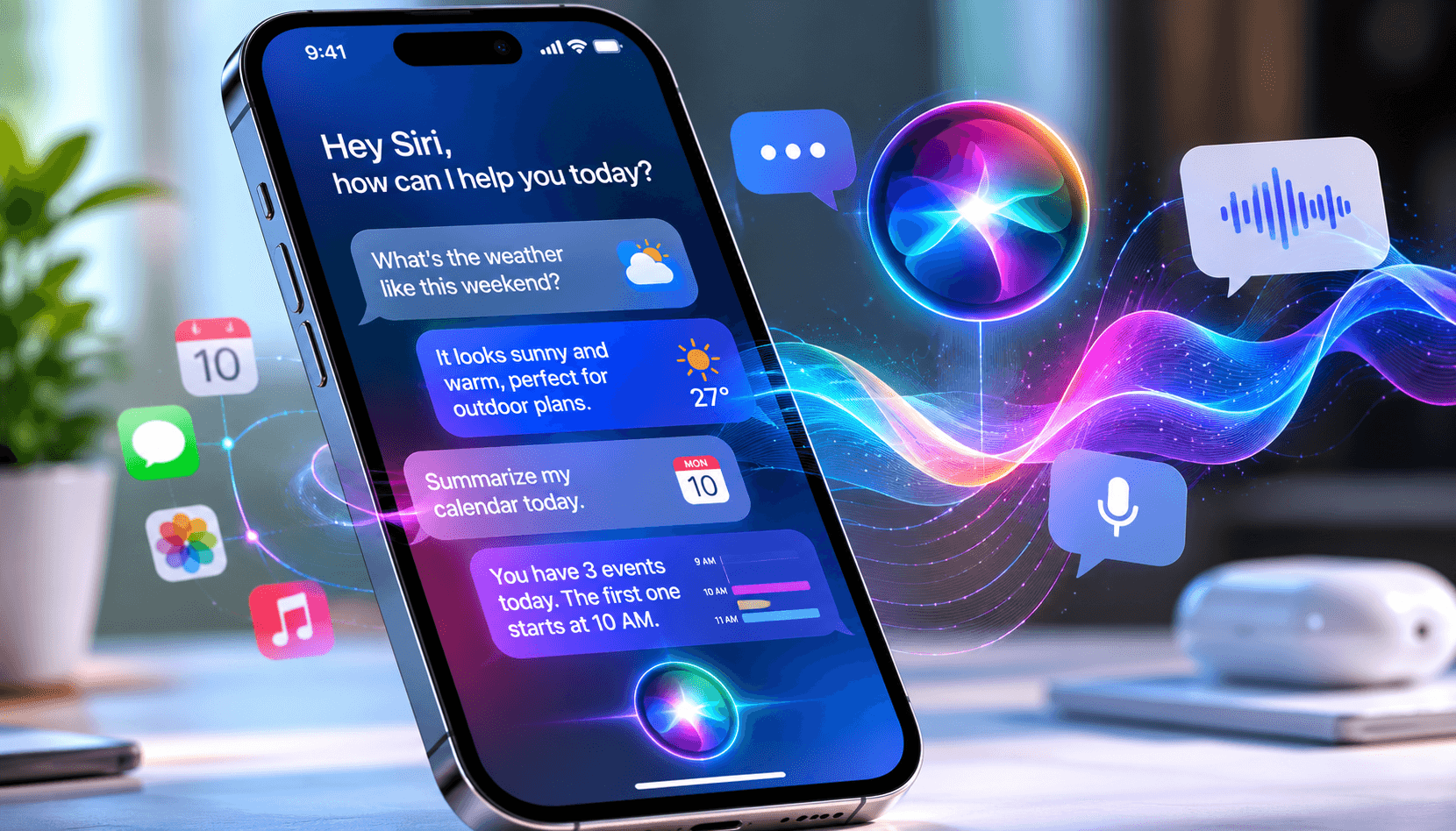
In practical terms, this means Siri can now:
- Understand context across multiple exchanges (“What’s the weather tomorrow?” → “What about Saturday?”)
- Take actions inside third-party apps (“Order my usual from Starbucks” → opens app, selects order, confirms)
- Summarize content (“What’s in my last three emails from Sarah?”)
- Generate text (“Draft a reply to this email saying I’ll be 15 minutes late”)
- Understand on-screen context (“What’s the phone number on this website?”)
What Actually Works Well
Conversational context
The biggest improvement is that Siri now maintains conversation context. You can ask a follow-up question without restating the entire context. “Show me Italian restaurants nearby” → “Which ones have outdoor seating?” → “Book a table for two at the second one.” This worked reliably in my testing — about 85% of multi-turn conversations reached the correct outcome.
App integration
Siri can now perform actions inside supported apps using Apple’s App Intents framework. “Send $50 to Alex on Venmo” actually works — Siri opens Venmo, fills in the amount and recipient, and asks you to confirm. “Add eggs to my Instacart list” works. “Play the Stranger Things soundtrack on Spotify” works. The key word is “supported apps” — not every app has adopted the framework yet, but the major ones have.
Email and message summarization
“Summarize my unread emails” gives you a genuinely useful 2-3 sentence overview of each message. “What did Mike say in our group chat today?” pulls relevant messages and summarizes them. This is the feature I use most — it saves me from scrolling through 50 messages to find the three that matter.
On-screen awareness
“What’s on my screen?” lets Siri read and understand whatever you’re looking at. Browsing a product page? “How does this compare to what I bought last time?” works if you bought through Apple Pay. Reading an article? “Summarize this” gives you a decent TLDR. This feature feels genuinely futuristic when it works.
What Still Doesn’t Work
Complex multi-step tasks
“Book me a flight to New York next Friday, find a hotel near Times Square under $200, and add both to my calendar” — Siri handles the first step, sometimes the second, and usually fails on the third. Complex task chains still break. Google Assistant handles these slightly better, but honestly, no voice assistant does multi-step tasks reliably in 2026.
Third-party app coverage
The App Intents framework requires developers to opt in and build specific integrations. Major apps (Uber, Spotify, Venmo, WhatsApp) support it. But thousands of smaller apps don’t, and Siri falls back to “I can open that app for you” — which is exactly the useless response the old Siri gave.
Home automation reliability
“Turn off all the lights downstairs” works 90% of the time. But 10% failure rate on home automation commands is enough to make you walk to the switch instead. If Siri fails to turn off your lights one out of ten times, you lose trust in the system quickly. Alexa and Google Assistant still have better smart home reliability.
Accent and noise handling
In quiet environments, Siri’s speech recognition is nearly perfect. In noisy environments (busy street, coffee shop, car with windows down), accuracy drops significantly. Google’s speech recognition handles noise better. Apple’s on-device processing is faster but less accurate in challenging acoustic conditions.
Siri vs Google Assistant vs Alexa in 2026
| Capability | Siri (iOS 27) | Google Assistant | Alexa |
|---|---|---|---|
| Conversational context | Good | Excellent | Good |
| General knowledge | Good | Excellent | Good |
| Smart home control | Good | Excellent | Excellent |
| App integration | Good (growing) | Good | Limited |
| Privacy | Excellent | Fair | Fair |
| Text generation | Good | Good | Basic |
| On-device processing | Excellent | Limited | None |
| Speed | Fast | Fast | Moderate |
What Reddit Says After the Beta Period
“New Siri is genuinely better. It went from being useless for anything beyond timers to actually useful for about 70% of what I ask. The other 30% it still fumbles, but that’s a massive improvement from the 90% fumble rate before.” — r/iOSBeta
“The privacy angle is what sold me. I don’t want Google listening to everything and building an ad profile. Apple processing my requests on-device means I can actually use a voice assistant without feeling surveilled.” — r/privacy
The Reddit consensus matches my experience: dramatically improved, still not perfect, but finally at a point where using Siri is faster than doing the task manually for common requests.
Who Should Care About New Siri
iPhone users who gave up on Siri years ago: Give it another try. The conversational capability and app integration are genuinely useful now. Start with simple tasks (email summaries, message replies, directions) and gradually try more complex requests.
Privacy-conscious users: If you avoided voice assistants because of privacy concerns, Apple’s on-device approach is the most private option available. Your requests stay on your phone for most common tasks.
Smart home users: If your primary use case is home automation, Alexa and Google Assistant are still better choices. Siri’s smart home integration has improved, but it’s not at parity yet.
People considering switching from Android: New Siri narrows the gap with Google Assistant significantly, but doesn’t close it entirely. If Google Assistant is a primary reason you’re on Android, Siri may now be “good enough” to make the switch — but Google still leads in general knowledge queries and smart home integration.
The Bottom Line
Is Siri finally useful? Yes — with caveats. It’s not the best voice assistant (Google Assistant still holds that title), but it’s no longer embarrassingly behind. For iPhone users, new Siri transforms from something you avoided to something you’ll actually use several times a day. The privacy advantage of on-device processing is a genuine differentiator that Google and Amazon can’t match.
The timer joke is officially retired. Siri can do a lot more than set timers now. Whether it can do what you specifically need depends on your use case — but for most people, the answer in 2026 is finally “yes, actually.”