Every August, the same debate erupts across r/college, r/iPad, and r/AndroidTablets: should I buy an iPad or an Android tablet for school? And every year, the answers follow the same tribal lines — Apple users swear the iPad changed their academic life, Android users insist you can get 90% of the experience for half the price, and a small but vocal contingent says just buy a laptop and skip tablets entirely.
I’ve used both platforms extensively in academic and professional settings. I took notes on an iPad Pro through a data science master’s program. I’ve tested Samsung Galaxy Tabs, Lenovo Tabs, and even the OnePlus Pad for months at a time. And the honest answer is more nuanced than any Reddit thread will give you.
If you’re building out your full college tech setup, I covered the bigger picture in my complete college tech kit guide. But this article is specifically about the tablet decision — which one, why, and whether you need one at all.
On this page
- Quick Verdict: 5 Best Tablets for Students in 2026
- iPad Air M3 (~$599) — The Default Recommendation
- Samsung Galaxy Tab S10 FE (~$449) — The Best Android Option
- iPad 10th Gen (~$329) — The Budget Apple Play
- Lenovo Tab P12 Pro (~$399) — The Media-First Tablet
- OnePlus Pad 2 (~$479) — The Speed Demon
- Do You Actually Need a Tablet for School?
- iPad vs Android: The Ecosystem Decision
- FAQ
- Is the iPad Pro worth it for students over the iPad Air?
- Can a tablet replace my laptop for college?
- Which Apple Pencil should I buy?
- How much storage do I need in a student tablet?
- How much storage do I need in a student tablet?
- Is a refurbished iPad a good deal for students?
- Do I need a keyboard case with my tablet?
Quick Verdict: 5 Best Tablets for Students in 2026
| Rank | Tablet | Price | Best For | Rating |
|---|---|---|---|---|
| 1 | iPad Air M3 (2026) | ~$599 | Most students, best overall | 9.2/10 |
| 2 | Samsung Galaxy Tab S10 FE | ~$449 | Android users, value pick | 8.6/10 |
| 3 | iPad 10th Gen (A14) | ~$329 | Budget iPad, basic note-taking | 8.0/10 |
| 4 | Lenovo Tab P12 Pro | ~$399 | Media consumption + light notes | 7.7/10 |
| 5 | OnePlus Pad 2 | ~$479 | Android power users | 7.5/10 |
iPad Air M3 (~$599) — The Default Recommendation
What Reddit says:
“Got the iPad Air for med school. Between GoodNotes and Anki, this thing basically replaced every textbook and notebook I own. Worth every cent.” — r/medschool
There’s a reason every “best tablet for students” list puts an iPad on top, and it’s not Apple fanboy bias — it’s the app ecosystem. GoodNotes 6, Notability, and Apple’s own Freeform are the three best note-taking apps available on any platform, and they’re all iPad-exclusive or iPad-first. The Apple Pencil 2 (or the new Pencil Pro) has latency so low that handwriting feels indistinguishable from pen on paper. I’ve tested every stylus on the market, and nothing else comes close.
The M3 chip in the 2026 Air is comically overpowered for note-taking and PDF annotation. It’s here for longevity — this tablet will handle iPadOS updates smoothly for 5-6 years, which means it’ll last you through undergrad and into whatever comes next. The 11-inch display is the right size for a backpack, though if your coursework is PDF-heavy (engineering, architecture, pre-med), consider the 13-inch model.
Split View multitasking lets you have a lecture recording on one side and notes on the other — a workflow that genuinely doesn’t exist this seamlessly on Android tablets. Stage Manager has improved enough to make the iPad a passable laptop replacement for light tasks, though I’d still pair it with a proper laptop for heavy work, especially for programming.
The honest downside: The price. $599 for the tablet, $129 for the Pencil Pro, $249-299 for the Magic Keyboard case. You’re looking at $950+ for the full setup. And iPadOS still can’t run proper desktop applications — no full Excel, no local IDE, no real file management. It’s a spectacular companion device, not a replacement for a computer.
Samsung Galaxy Tab S10 FE (~$449) — The Best Android Option
What Reddit says:
“Switched from iPad to Tab S10 FE because I wanted a tablet that acts more like a computer. Samsung DeX mode is the real deal — I can have proper windowed apps, a taskbar, and a file manager that actually works.” — r/GalaxyTab
If you’re already in the Android ecosystem — Samsung phone, Google Drive workflow, Android-specific apps for your coursework — the Tab S10 FE is the tablet to get. Samsung has narrowed the gap with Apple significantly, and in some areas, they’ve pulled ahead.
The S Pen is included in the box (Apple charges $129 separately for the Pencil). Samsung Notes has gotten genuinely excellent — handwriting recognition, PDF annotation, audio-synced notes, and automatic organization. It’s not GoodNotes-level polish, but it’s 85% there and improving with every update.
DeX mode is the killer feature for students who want laptop-like functionality. Plug in a keyboard and the tablet transforms into a desktop interface with resizable windows, a proper taskbar, and multi-monitor support through USB-C. For writing papers, managing spreadsheets, and browsing research — DeX makes the Tab S10 FE feel like a real productivity machine, not just a big phone.
The 12.4-inch AMOLED display is stunning for media consumption. Deep blacks, vibrant colors, 120Hz refresh. Watching lecture recordings and educational YouTube content on this screen is a pleasure that the iPad Air’s LCD can’t match (though the iPad Pro’s OLED does).
The honest downside: The Android tablet app ecosystem remains the Achilles’ heel. Too many Android apps are stretched phone apps rather than proper tablet-optimized experiences. Key apps like Procreate don’t exist on Android. Third-party stylus apps have higher latency than Apple Pencil equivalents. If your workflow depends on specific iPad apps, no amount of DeX mode will compensate.
iPad 10th Gen (~$329) — The Budget Apple Play
What Reddit says:
“Don’t let anyone tell you the base iPad isn’t enough for college. I used a 9th gen for all four years of undergrad. GoodNotes, Safari, Netflix. That’s literally all you need.” — r/college
If you want the iPad app ecosystem but can’t stomach $600+, the 10th generation iPad at $329 is where to look. The A14 chip is three generations old, but it runs GoodNotes, Notability, and Safari without breaking a sweat. Note-taking latency with the Apple Pencil is imperceptible. PDF annotation is smooth. Split View works fine for the two-app workflows that matter in school.
The trade-offs versus the Air are real but manageable for most students: the display is slightly less vivid (still good), you’re stuck with the 1st-generation Apple Pencil (which uses Lightning to charge — awkward but functional), and the processor will show its age in 3-4 years rather than 5-6. For a student buying a tablet specifically for notes and reading, those compromises are easy to live with.
The honest downside: Apple Pencil 1 compatibility is genuinely annoying. The pencil charges by plugging into Lightning, which feels ridiculous in 2026. The 64GB base storage fills up fast if you’re downloading lecture recordings. Spend the extra $50 for 256GB — you’ll need it by sophomore year.
Lenovo Tab P12 Pro (~$399) — The Media-First Tablet
The Lenovo Tab P12 Pro is the tablet you buy when entertainment is the primary use case and note-taking is secondary. The 12.7-inch 3K AMOLED display with quad JBL speakers produces the best media experience of any tablet under $600, iPad included. Watching lectures, YouTube tutorials, and documentary-style course content is genuinely immersive.
Lenovo includes a stylus and keyboard case in the box at $399, which is remarkable value compared to Apple’s accessory pricing. The stylus works well enough for basic note-taking, though the palm rejection is inconsistent compared to Apple Pencil or S Pen — you’ll get phantom marks when resting your hand on the screen during long writing sessions.
The productivity software situation is the standard Android story: functional but not inspired. Samsung Notes isn’t available (it’s Samsung-exclusive), so you’re relying on Google Keep, OneNote, or third-party options. They work, but none of them match the iPad or Samsung tablet note-taking experience.
The honest downside: Software updates are a question mark. Lenovo promises 3 years of OS updates, which is less than Apple’s 5-6 years or Samsung’s 4 years. The included keyboard case is flimsy — the keys have almost no travel. And the stylus, while free, feels like a $15 accessory compared to Apple’s $129 Pencil, because it basically is.
OnePlus Pad 2 (~$479) — The Speed Demon
OnePlus entered the tablet market as an outsider and the Pad 2 shows they’re serious. The Snapdragon 8 Gen 3 makes this the fastest Android tablet on this list — app launches are instant, multitasking is silky, and even demanding apps like LumaFusion run without stuttering. If raw performance per dollar is your metric, the OnePlus Pad 2 wins.
The 12.1-inch display at 2800×2000 resolution with 144Hz refresh is beautiful. The included stylus (OnePlus Stylo 2) has improved significantly over the first generation — latency is competitive with the S Pen, and palm rejection actually works now.
OxygenOS on a tablet is clean and fast, closer to stock Android than Samsung’s One UI. If you prefer minimalist software without bloatware, this is appealing. The 9,510mAh battery with 67W SUPERVOOC charging means you can go from dead to full in under an hour — useful for students who forget to charge their devices (which is all students).
The honest downside: The accessory ecosystem is thin. The official keyboard case is decent but there are no third-party options worth recommending. App optimization on OxygenOS is behind Samsung’s One UI — some apps have scaling issues on the unusual 7:5 aspect ratio. And OnePlus’s track record on long-term software support is shorter than Apple or Samsung.
Do You Actually Need a Tablet for School?
Honest answer: probably not. A laptop does everything a tablet does, plus more. The specific scenarios where a tablet genuinely adds value:
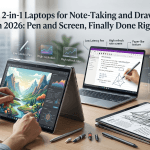
- Handwritten notes: If you’re in a field where diagrams, equations, or spatial note-taking matter (STEM, medicine, architecture, art), a tablet with a stylus is transformative. Typing math equations is miserable; handwriting them is natural.
- PDF textbook annotation: If your coursework involves heavy reading and markup of PDF documents, a tablet is dramatically better than a laptop for this specific task.
- Supplementary screen: Using a tablet as a reference display next to your laptop — lecture slides on the tablet, notes on the laptop — is a genuine productivity boost. See my take on portable second screens in the monitors guide.
If none of those apply to your coursework, save the money and put it toward a better laptop instead. A good laptop with a touchscreen (like the options in my programming laptop guide) can handle light pen input alongside everything else.
iPad vs Android: The Ecosystem Decision
This is ultimately a software decision, not a hardware one. Both platforms make excellent hardware in 2026. The question is which ecosystem serves your workflow:
Choose iPad if:
- You want the best stylus and note-taking experience available
- You use or plan to use GoodNotes, Notability, or Procreate
- You’re already in the Apple ecosystem (iPhone, Mac, AirPods)
- You value long-term software support (5-6 years of updates)
- You want the largest selection of tablet-optimized apps
Choose Android if:
- You want the included stylus and keyboard (Samsung, Lenovo, OnePlus) without paying $400+ in accessories
- You prefer real file management and sideloading capability
- You’re in the Google/Android ecosystem already
- DeX-style desktop mode matters for your workflow
- You want an AMOLED display under $500 (iPad Air is still LCD)
FAQ
Is the iPad Pro worth it for students over the iPad Air?
For most students, no. The M4 chip in the Pro is overkill for note-taking and PDF annotation. The OLED display is gorgeous but not a necessity. The only students who should consider the Pro are those doing serious creative work — digital art, video editing, music production — where the extra power and display quality genuinely matter. Save the $400-500 difference for textbooks or rent.
Can a tablet replace my laptop for college?
For humanities majors who primarily write papers and read — maybe, with a keyboard case. For STEM, business, engineering, or CS students — absolutely not. You need a real computer for software development, data analysis, and specialized applications. The tablet is a companion device, not a replacement. Check my spec reading guide to understand what you actually need in a laptop.
Which Apple Pencil should I buy?
If you’re buying the iPad Air M3, get the Apple Pencil Pro ($129). It has squeeze gestures, haptic feedback, and Find My support. If you’re buying the budget iPad 10th Gen, you’re limited to the Apple Pencil 1 ($99) — it’s the only one compatible. The Pencil 2 ($129) works with previous-gen iPad Air and Pro models if you’re buying used.
How much storage do I need in a student tablet?
At minimum, 128GB. If you download lecture recordings, store PDFs, and use the tablet for media, 256GB is the safe choice. The 64GB base iPad fills up within one semester if you’re not ruthless about cloud storage management. Android tablets often include microSD card expansion, which gives you cheaper storage flexibility — a genuine advantage over iPads.
How much storage do I need in a student tablet?
At minimum, 128GB. If you download lecture recordings, store PDFs, and use the tablet for media, 256GB is the safe choice. The 64GB base iPad fills up within one semester if you’re not ruthless about cloud storage management. Android tablets often include microSD card expansion, which gives you cheaper storage flexibility — a genuine advantage over iPads.
Is a refurbished iPad a good deal for students?
Apple Certified Refurbished iPads are excellent value — you get a like-new device with full warranty at 15-20% off. The iPad Air M2 (previous generation) refurbished at ~$479 is arguably the best overall value in the student tablet market right now. Just make sure you’re buying from Apple’s official refurbished store, not random third-party sellers.
Do I need a keyboard case with my tablet?
If you plan to type anything longer than a text message — yes. Typing on a touchscreen for essays, notes, or emails is miserable beyond a few sentences. The official Apple Magic Keyboard and Samsung Book Cover Keyboard are both excellent but expensive. Budget third-party Bluetooth keyboards from Logitech ($50-70) work nearly as well for a fraction of the price.