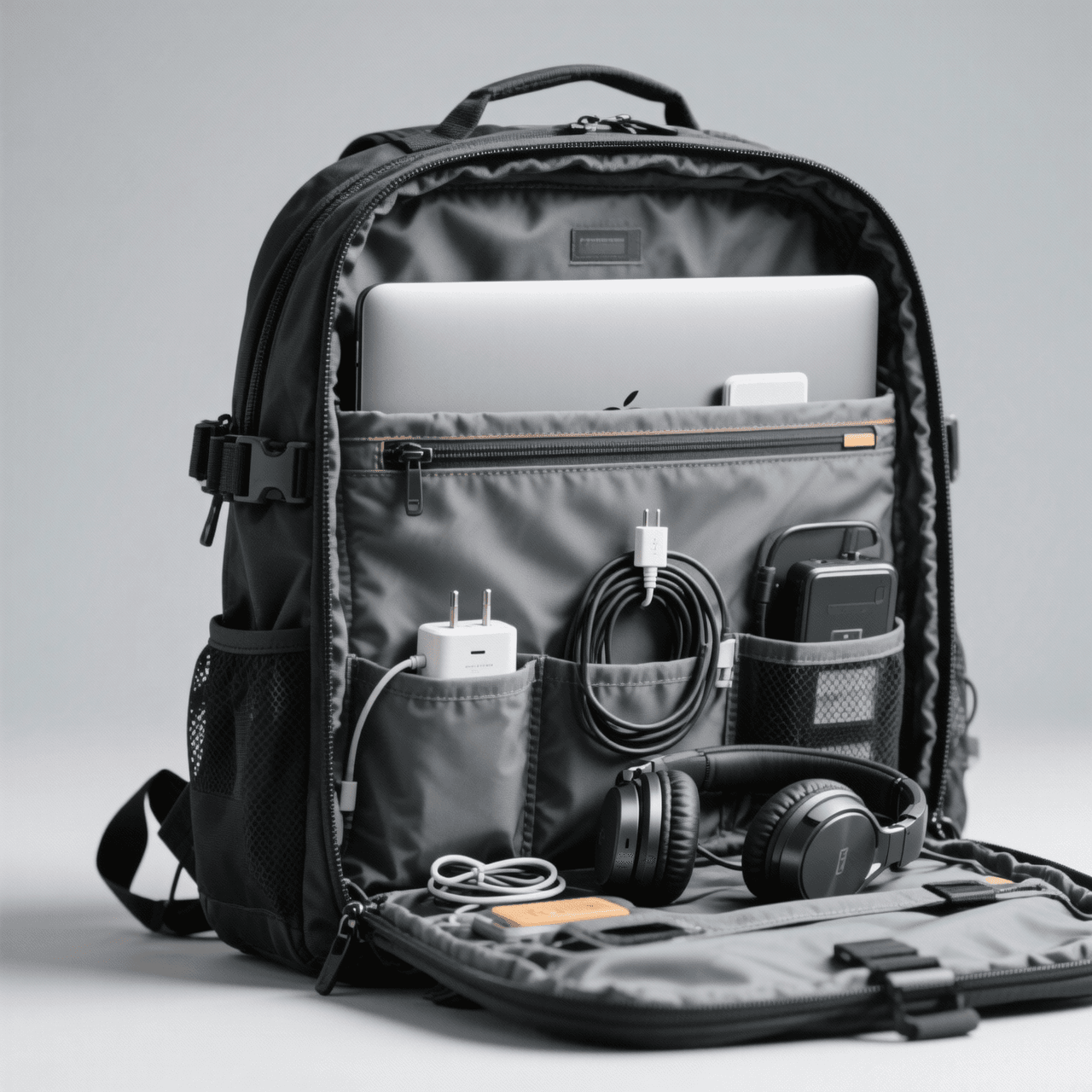
I carry a 16-inch MacBook Pro, a 65W USB-C charger, a USB-C hub, a mouse, over-ear headphones, a water bottle, a notebook, two charging cables, and sometimes a change of clothes. That is roughly 15 pounds of gear that needs to survive a subway commute, a walk through rain, being shoved under an airplane seat, and being dropped onto a coffee shop floor. Every day.
Most backpack reviews test with a laptop and nothing else, which is like test-driving a truck with an empty bed. A backpack reveals its character when it is loaded. The straps that felt fine at 5 pounds dig into your shoulders at 15. The laptop sleeve that seemed padded enough bounces against your spine without the weight of other items to buffer it. The “quick access” pocket that worked great with a phone becomes a fumbling disaster when you are also trying to extract a badge holder and earbuds at a security gate.
I have destroyed four backpacks in the last five years — not through abuse, but through daily use. After my latest bag’s zipper exploded on the subway platform, scattering dongles and charging cables like tech confetti, I decided to test this properly. Over four months, I rotated through eight backpacks on the same loadout. Five earned at least a week of daily commuting with the full gear list below. Here is which ones earned a permanent spot and which ones are going back.
On this page
- Quick Verdict: Best Laptop Backpacks for Tech Workers
- Aer Tech Pack 3 — The One Designed by Someone Who Actually Commutes
- Peak Design Everyday Backpack V3 — Organized to an Obsessive Degree
- Tomtoc Navigator-T66 — The Budget Surprise
- Incase City Compact — For People Who Carry Less
- Thule Subterra 2 (30L) — The Commuter-to-Airport Converter
- What to Look For (The Features That Actually Matter)
- The Loadout I Tested With
- Reddit’s Hot Takes (And Reality)
- FAQ
- How much should I spend on a laptop backpack?
- Should I get a backpack or a messenger/shoulder bag?
- Should I get a backpack with a built-in USB charging port?
- Is a hard-shell backpack better for laptop protection?
- Can I use a tech backpack as a carry-on for flights?
- Are “anti-theft” backpacks worth it?
- How do I clean a tech backpack?
- Should I get a backpack or a messenger/shoulder bag?
Quick Verdict: Best Laptop Backpacks for Tech Workers
| Backpack | Price | Laptop Fit | Capacity | Weight | Best For |
|---|---|---|---|---|---|
| Aer Tech Pack 3 | ~$200 | 16″ | 25L | 3.5 lbs | Overall best |
| Peak Design Everyday Backpack V3 | ~$280 | 16″ | 30L | 4.2 lbs | Best organization |
| Tomtoc Navigator-T66 | ~$80 | 16″ | 28L | 2.8 lbs | Best value |
| Incase City Compact | ~$90 | 16″ | 20L | 1.8 lbs | Minimalists |
| Thule Subterra 2 (30L) | ~$170 | 16″ | 30L | 3.0 lbs | Travel + commute |
Also tested in the broader rotation: Bellroy Transit Backpack Plus, WANDRD DUO Daypack, Aer City Pack Pro, and a $45 Amazon “laptop backpack” as a budget baseline. The five above are the ones I would recommend with confidence.
Aer Tech Pack 3 — The One Designed by Someone Who Actually Commutes
Price: ~$200 | Capacity: 25L | Laptop: Up to 16″ | Weight: 3.5 lbs
Aer makes bags specifically for urban tech workers, and the Tech Pack 3 shows it. The laptop compartment is suspended — the bottom of the sleeve does not touch the bottom of the bag, which means when you set the backpack down on the ground, your laptop does not absorb the impact. This is a $2,000+ piece of equipment sitting in a $200 bag; the fact that so few backpacks include this basic protective feature is baffling.
Organization is thoughtful without being excessive. The front pocket has a padded sunglasses slot, a key clip, and pen holders. The main compartment has a dedicated tablet sleeve, a stretch mesh pocket for chargers, and enough open space for headphones and a packable jacket. The water bottle pocket fits a 32oz Nalgene without it falling out — a higher bar than you would think. Pair it with a compact charger and accessories from your remote work essentials guide and everything has a designated home.
Comfort under load is excellent. The shoulder straps are wide, padded with dense foam, and have a sternum strap that distributes weight to your core. After a 40-minute subway commute standing with 15 pounds, my shoulders were fine. The back panel has a luggage pass-through for airport travel and a ventilated mesh that actually breathes — I did not arrive at the office with a sweaty back, even in warm weather.
The 1680D Cordura nylon exterior is tough. I am not gentle with my bags, and after a month of daily use, there are no scuffs, no zipper issues, no loose threads. The YKK zippers are smooth and grab-friendly with one hand.
At $200, it is not cheap. But for daily carry of expensive tech gear, the suspended laptop sleeve and overall build quality justify the price over multiple years of use.
The good: Suspended laptop sleeve, excellent organization, comfortable at 15 lbs, durable materials, luggage pass-through. The less good: $200, 25L is tight if you also need to carry lunch or a full change of clothes, black-only colorway is conservative.
Peak Design Everyday Backpack V3 — Organized to an Obsessive Degree
Price: ~$280 | Capacity: 30L | Laptop: Up to 16″ | Weight: 4.2 lbs
The Peak Design Everyday is the backpack for people who organize their junk drawers. It uses FlexFold internal dividers — padded inserts that create customizable compartments inside the main space. You can configure it for camera gear, tech accessories, shoes + clothes, or any combination. The dividers are stiff enough to create structure but flexible enough to fold flat when you do not need them.
Side access is the signature feature. Instead of (or in addition to) the top opening, both side zippers give you full access to the main compartment. This means you can grab your laptop, a camera body, or a charger from the side without opening the top and rummaging. It is a game-changer in cramped spaces — airplane seats, subway benches, crowded coffee shops.
Build quality is exceptional. Recycled 400D nylon weathercoated shell, magnetic external closures that look cleaner than zippers, padded grab handles on three sides. It looks like a professional bag, not a student backpack. This matters if you carry it into client meetings or professional settings.
The downsides are weight and price. At 4.2 lbs empty, it is the heaviest backpack here. With 15 pounds of gear, you are carrying nearly 20 pounds total. The $280 price makes it the most expensive option by a wide margin. The Peak Design tax is real — you are paying for design, materials, and the brand.
“The Peak Design Everyday is the bag I would recommend if money is no object and you want something that works equally well for a tech commute and a weekend photo trip. If $280 makes you wince, the Aer does 90% of the job for 70% of the price.” — u/bag_reviewer_who_owns_too_many, r/ManyBaggers
The good: Best organization system, side access, premium materials, versatile for tech + camera gear. The less good: Most expensive, heaviest, the divider system requires trial-and-error to get right.
Price: ~$80 | Capacity: 28L | Laptop: Up to 16″ | Weight: 2.8 lbs
Tomtoc has been making surprisingly good laptop sleeves for years, and the Navigator-T66 translates that expertise into a full backpack at a price that makes the competition look overpriced. The laptop compartment uses their “CornerArmor” padding — reinforced corners that absorb impact if you drop the bag. It is not a suspended sleeve like the Aer, but it is more protection than most bags at any price point offer.
At $80, I expected compromises, and there are some. The shoulder straps are narrower than the Aer or Peak Design, and at 15 pounds they start to dig in after about 30 minutes of walking. The sternum strap helps but does not fully solve it. The zippers are functional but not as smooth as YKK. The water bottle pocket is too shallow for anything taller than a 20oz bottle.
But the organization is genuinely good. A front pocket with RFID-blocking card slots, a fleece-lined sunglasses pocket, and a quick-grab phone slot. The main compartment is spacious at 28L — the largest on this list after the Peak Design and Thule — with enough room for a full tech loadout plus a packed lunch and a light jacket.
For $80, the compromises are minor and the execution is above its price class. If you are not willing to spend $200+ on a backpack, this is the one.
The good: Excellent value, CornerArmor laptop protection, spacious, RFID pocket, lightweight. The less good: Narrow straps uncomfortable at heavy loads, shallow water bottle pocket, cheaper zippers.
Incase City Compact — For People Who Carry Less
Price: ~$90 | Capacity: 20L | Laptop: Up to 16″ | Weight: 1.8 lbs
Not everyone carries 15 pounds of gear. If your loadout is a laptop, a charger, a phone, and headphones — and that is it — the Incase City Compact is the leanest, lightest option here. At 1.8 lbs empty, it weighs less than the difference between the lightest and heaviest bags on this list. It disappears on your back.
The design is aggressively minimal. One main compartment with a padded laptop sleeve and a tablet pocket. One front zip pocket for accessories. That is it. No side pockets, no water bottle holder, no luggage pass-through. If you want those things, this is not your bag. If you find most backpacks overcomplicated and overpocketed, this is refreshing.
The faux-fur lined laptop sleeve is genuinely plush — better padding than some bags twice the price. The slim profile looks clean and professional, sitting flat against your back without the “turtle shell” bulge that larger bags create.
At $90, it is reasonable for what it is. It is not the best value per feature — the Tomtoc gives you more bag for less money — but it is the best option for minimalists who view every extra pocket as another thing to lose stuff in.
The good: Ultra-lightweight, minimal clean design, excellent laptop padding, slim profile. The less good: 20L is tight for full tech loadout, no water bottle pocket, limited organization, no luggage pass-through.
Thule Subterra 2 (30L) — The Commuter-to-Airport Converter
Price: ~$170 | Capacity: 30L | Laptop: Up to 16″ | Weight: 3.0 lbs
The Thule Subterra 2 is the most versatile bag here because it serves two masters: daily commuting and overnight travel. The main compartment opens wide like a clamshell suitcase, making packing and unpacking easy. A separate shoe/laundry compartment at the bottom keeps dirty items away from your tech. The laptop compartment is rear-loading and padded, with a dedicated tablet sleeve alongside it.
For commuting, it is good but not exceptional. The organization in the front pocket is basic — a couple of mesh pockets and an open space, without the thoughtful slotting of the Aer or Peak Design. At 15 pounds with tech gear, it is comfortable thanks to well-padded, curved shoulder straps and a hip belt that tucks away when not needed.
Where the Subterra shines is the transition from office bag to overnight bag. For a one or two-night work trip, you can pack a full tech loadout plus two days of clothes and toiletries without checking a bag. The 30L capacity meets most airlines’ carry-on size requirements (check your airline — some budget carriers have smaller limits). Our remote work essentials guide covers what to pack for working on the road.
At $170, it splits the difference between the budget Tomtoc and the premium Aer/Peak Design. Not the best at any one thing, but the most versatile overall.
The good: Clamshell opening, shoe compartment, daily + travel versatility, carry-on friendly, comfortable straps. The less good: Basic front organization, bulkier profile than daily-only bags, the clamshell makes grab-and-go access slower.
What to Look For (The Features That Actually Matter)
After testing eight bags loaded with real commuter gear, here are the features that separate good tech backpacks from great ones:
1. Suspended laptop sleeve. The bottom of the laptop compartment should not touch the bottom of the bag. When you set your backpack down (or someone sets it down harder than you would like), a suspended sleeve prevents your laptop from taking the impact. The Aer has this. Most bags do not.
2. Padded, wide shoulder straps. At 10+ pounds, narrow straps create pressure points that become painful after 15-20 minutes. Look for straps at least 3 inches wide with dense foam padding. A sternum strap is non-negotiable for loads over 12 pounds.
3. Separate charger/cable pockets. Throwing a 65W brick into the main compartment means it ends up resting against your laptop screen. Dedicated accessory pockets keep heavy items separated. This sounds minor until you find a charger-shaped pressure mark on your display.
4. Water-resistant material. You will get caught in rain. A water-resistant nylon exterior (look for DWR coating or 1680D Cordura) protects your electronics without needing a rain cover. Fully waterproof roll-tops exist but sacrifice convenience. For a tech commute bag, water-resistant is the right balance.
5. Quick-access without full unzip. You need your transit card, your phone, your earbuds — without opening the main compartment on a crowded train. A top or side zip pocket for daily-reach items saves thirty seconds of fumbling multiple times per day.
The Loadout I Tested With
For consistency, every backpack was tested with the same gear:
- 16″ MacBook Pro M3 Max (4.8 lbs)
- Apple 96W USB-C charger + cable (0.7 lbs)
- Anker 555 USB-C hub (0.4 lbs)
- Logitech MX Master 3S mouse + dongle (0.3 lbs)
- Sony WH-1000XM5 headphones in hard case (0.9 lbs)
- 32oz Nalgene water bottle (2.2 lbs full)
- Field Notes notebook + pen (0.3 lbs)
- Two 6ft USB-C cables (0.2 lbs)
- Sunglasses in hard case (0.3 lbs)
- Compact umbrella (0.8 lbs)
Total gear weight: approximately 11 lbs. Add the bag weight (1.8-4.2 lbs depending on bag), and total carry ranged from 12.8 to 15.2 lbs. This is a realistic tech commuter load, not a marketing photo with a slim laptop and nothing else.
Reddit’s Hot Takes (And Reality)
“Just buy a $40 Amazon backpack. They all do the same thing.” — r/frugal
I tested this theory with a $45 Amazon “laptop backpack” alongside the premium options. After one month: the zipper started catching, the shoulder straps had zero padding left (the foam compressed to nothing), and the laptop sleeve was just a thin pocket with no suspension or meaningful protection. Your laptop costs $1,500-2,500. Protecting it with a $40 bag is like parking a Ferrari in a cardboard garage.
“Anything over $200 for a backpack is a ripoff.” — r/BuyItForLife
More nuanced than the $40 take, and partially fair. The sweet spot for quality is $150-200. Above that, you are paying for brand prestige, premium materials, or specialized features (Peak Design’s camera dividers). For pure laptop-carrying utility, the Aer Tech Pack 3 at $200 is the ceiling of meaningful returns — though the Tomtoc at $80 is the floor for a bag I would trust with a $2,000 laptop.
FAQ
How much should I spend on a laptop backpack?
$80-200 gets you a bag that will protect your gear and last 3-5 years of daily use. Below $80, materials and padding quality drop noticeably. Above $200, you are paying for premium materials and design features that are nice but not essential. The Tomtoc at $80 is the floor for a bag I would trust with a $2,000 laptop; the Aer at $200 is the ceiling of reasonable daily-carry value.
Should I get a backpack or a messenger/shoulder bag?
If you carry a 16-inch laptop and commute more than 15 minutes, backpack. Shoulder bags put all weight on one side, which causes posture issues over months of daily carry. Messenger bags work for lighter loads (13-inch laptop + minimal accessories) and short distances. For the full tech worker loadout, two-strap distribution wins.
Should I get a backpack with a built-in USB charging port?
No. Those built-in USB ports route a cable from an external port to an internal pocket where you put your power bank. It is a cable with extra steps. Just put a power bank in an accessible pocket and plug in directly. The built-in port adds a failure point, and the internal routing makes it harder to remove the power bank for charging.
Is a hard-shell backpack better for laptop protection?
Hard-shell backpacks protect against impacts but are heavier, less comfortable, and have fixed capacity. A well-padded soft backpack with a suspended laptop sleeve provides equivalent protection for daily commuting at lower weight and with more flexibility. Hard shells make more sense for motorcycle commuting or extreme conditions.
Can I use a tech backpack as a carry-on for flights?
The Thule Subterra 2 (30L) and Peak Design Everyday (30L) are sized to work as personal items or carry-ons on most airlines. The Aer Tech Pack 3 (25L) works as a personal item. Check your specific airline’s size limits — budget carriers like Spirit and Frontier have smaller allowances than major airlines. Our college tech kit guide includes packing advice for tech-heavy travel.
Are “anti-theft” backpacks worth it?
The ones with hidden zippers and RFID-blocking pockets? Mostly marketing for theft deterrence. A determined thief is not stopped by a zipper facing your back instead of away from you. The real protection is: do not leave your bag unattended. That said, back-panel zippers are nice for accessing your laptop in crowded spaces where you do not want to fully open the bag.
How do I clean a tech backpack?
Most nylon/Cordura bags: wipe with damp cloth, air dry. For deeper cleaning: empty completely, hand wash with mild soap in a bathtub, rinse thoroughly, hang dry (never machine dry — heat destroys waterproof coatings). Spot clean monthly, deep clean every 3-4 months. Never machine wash unless the manufacturer specifically says it is safe.
$80-200 gets you a bag that will protect your gear and last 3-5 years of daily use. Below $80, materials and padding quality drop noticeably. Above $200, you are paying for premium materials and design features that are nice but not essential. The Tomtoc at $80 is the floor for a bag I would trust with a $2,000 laptop; the Aer at $200 is the ceiling of reasonable daily-carry value.
Should I get a backpack or a messenger/shoulder bag?
If you carry a 16-inch laptop and commute more than 15 minutes, backpack. Shoulder bags put all weight on one side, which causes posture issues over months of daily carry. Messenger bags work for lighter loads (13-inch laptop + minimal accessories) and short distances. For the full tech worker loadout, two-strap distribution wins.
Ethan Caldwell commutes with too much tech and not enough common sense about back health. He reviews gear for people who carry their office with them at WU120 Tech Insights.