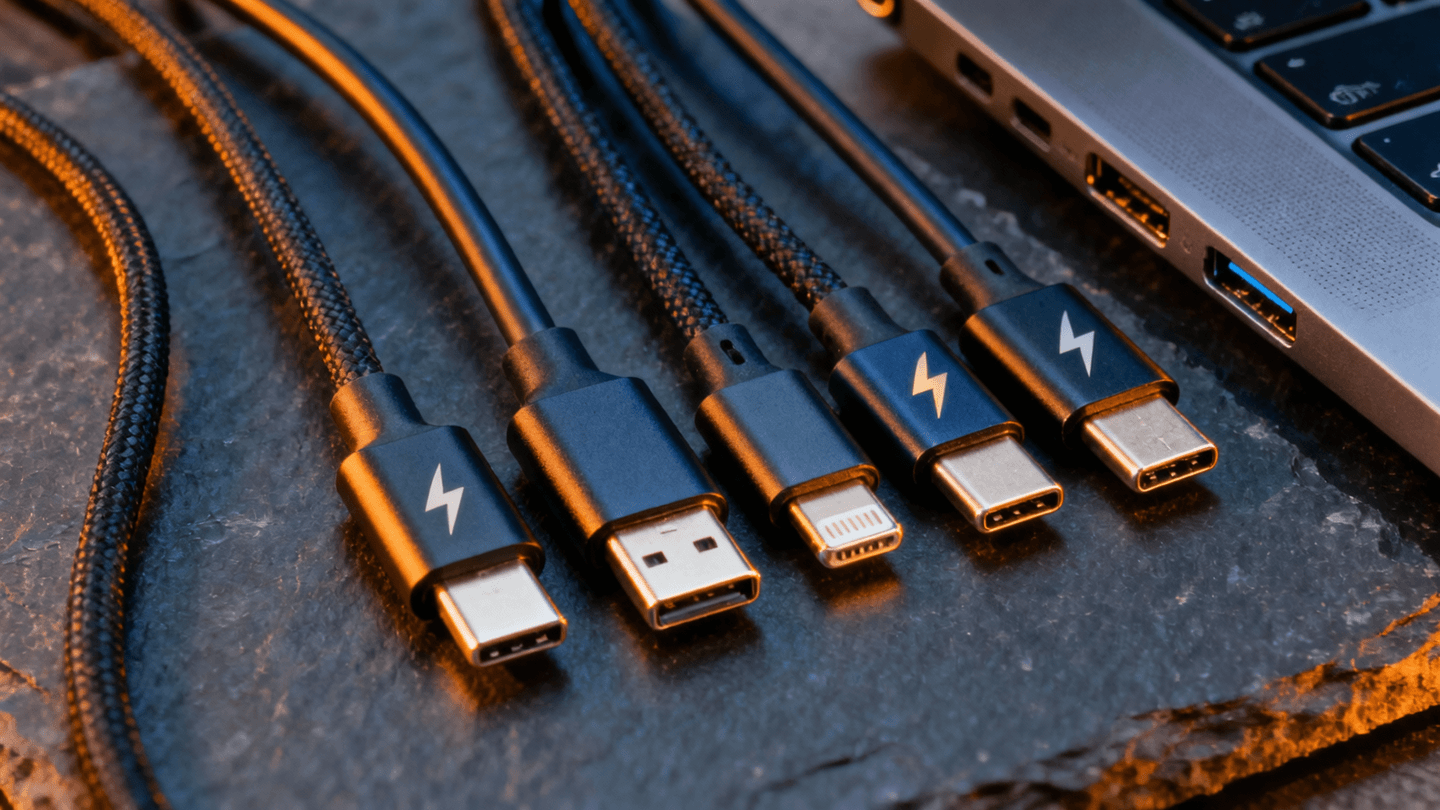
Every product page you visit in 2026 is engineered to make you feel like you’re getting a deal. The spec sheet — that neat little table of numbers and abbreviations — looks objective. It looks like science. But here’s the uncomfortable truth that anyone who’s spent time on r/buildapc or r/laptops already knows: spec sheets are marketing documents, not engineering reports.
Manufacturers choose which numbers to highlight, which benchmarks to reference, and which asterisks to bury. They’re not technically lying. They’re just very, very good at telling you the truth in a way that sells units. And unless you know how to read between the lines, you’ll end up overpaying for features that don’t matter while ignoring the ones that do.
This guide is your decoder ring. We’re going to walk through the three major categories — laptops, monitors, and audio gear — and break down exactly which specs actually predict real-world performance and which ones exist purely to pad a product listing. No fluff, no affiliate-bait superlatives. Just the stuff that actually helps you make a smarter purchase.
Contents
Section 1: Laptop Specs That Actually Matter (and the Ones That Don’t)
Laptops are the worst offenders when it comes to misleading spec sheets. The sheer number of variables — CPU, GPU, RAM, storage, display, battery, thermals — gives manufacturers endless room to cherry-pick impressive-sounding numbers while hiding meaningful weaknesses. If you’ve ever felt confused staring at two seemingly identical laptops priced $400 apart, this section is for you.
What Actually Matters
- CPU generation, not just brand. An “Intel Core i7” means almost nothing by itself. An i7-1265U and an i7-14700H are wildly different processors with completely different thermal envelopes and performance ceilings. The generation number and the suffix letter (U for ultrabook, H for high-performance, HX for workstation) tell you far more than the brand tier. As r/laptops regulars will tell you, a current-gen i5-H will demolish a last-gen i7-U in sustained workloads. Always check the actual processor model, not the sticker.
- RAM amount and configurability. In 2026, 16 GB is the working minimum for any productivity machine, and 32 GB is the sweet spot for developers and power users. But equally important: is the RAM soldered or socketed? Soldered RAM means what you buy is what you’re stuck with. Many ultrabooks solder everything now, so if you’re eyeing a machine with 8 GB of soldered RAM, walk away unless it’s a dedicated travel-only device.
- SSD speed (and type). Not all SSDs are created equal. A PCIe Gen 4 NVMe drive will handle large project builds, video editing scratch disks, and virtual machines dramatically better than a SATA SSD or a cheap QLC NVMe drive. Check whether the listed storage uses a Gen 3, Gen 4, or Gen 5 interface. The difference in sustained write speeds can be 3-5x, which matters enormously for programming workflows involving Docker, compilation, or data processing.
- Display nits and color accuracy. Brightness measured in nits tells you whether you can actually use the laptop outdoors or in a bright office. Anything below 300 nits is going to feel dim. 400+ nits is the target. Color accuracy — measured in Delta E values or percentage of sRGB/DCI-P3 coverage — matters if you do any design, photo, or video work. A “Full HD IPS display” can range from excellent to terrible depending on these numbers, and manufacturers love to omit them when the panel is cheap.
- Port selection. This is the spec that directly impacts your daily quality of life and is routinely ignored by first-time buyers. How many USB-C ports does it have? Do any support Thunderbolt 4? Is there an HDMI output, or will you need a dongle? Can you charge via USB-C, or are you locked into a proprietary barrel charger? A laptop with great internals but only two USB-C ports and no USB-A is going to drive you to the docking station market immediately.
What Doesn’t Matter (or Is Actively Misleading)
- “Up to X hours battery life” claims. This is probably the single most dishonest spec in the entire laptop industry. Manufacturers test battery life under conditions no human would replicate — screen at 50% brightness, Wi-Fi off, looping a local video file. Real-world battery life is typically 50-70% of the advertised number. If a laptop claims 18 hours, expect 10-12 with normal use. If it claims 10 hours, expect 6-7. Always cross-reference with independent reviews that test under realistic conditions.
- The resolution race beyond usable PPI. A 4K display on a 13-inch laptop is a waste of battery life and GPU resources for the vast majority of users. At normal viewing distances, most people cannot distinguish between a sharp 1440p panel and a 4K panel on screens below 16 inches. The pixels are there, but your eyes can’t see them — meanwhile your battery drains 15-25% faster driving all those extra pixels. For most users, 1920×1200 on a 14-inch or 2560×1600 on a 16-inch hits the sweet spot of clarity without penalty.
- “AI-powered” labels. In 2026, every manufacturer is slapping “AI” onto everything. AI noise cancellation on the webcam mic? Potentially useful. “AI-optimized performance management”? That’s just rebranded thermal management software that’s existed for a decade. The presence of a dedicated NPU (Neural Processing Unit) is a real spec worth noting for specific workloads, but the marketing phrase “AI-powered” by itself tells you absolutely nothing about what the hardware actually does.
The r/laptops rule of thumb: If a product page spends more space on lifestyle photos than on detailed spec tables, the specs probably aren’t worth bragging about.
Section 2: Monitor Specs Decoded
Monitors are fascinating because the spec sheet arms race has created an entire vocabulary of meaningless numbers. The r/monitors community has spent years debunking these, and the conclusions are clear: most of the numbers on a monitor’s product page are either measured under non-standard conditions or simply irrelevant to actual visual quality.
What Actually Matters
- Panel type: IPS vs VA (vs OLED). This single spec tells you more about the monitor’s visual characteristics than almost any number on the sheet. IPS panels offer wide viewing angles and generally accurate colors, making them the default recommendation for productivity and creative work. VA panels deliver dramatically better contrast ratios (real ones, not the marketed ones) and deeper blacks, making them better for media consumption and dark-room use. OLED offers the best of both worlds but at a significant price premium and with burn-in considerations. Know which panel type you’re getting — it’s the foundation everything else is built on.
- Response time: GtG, not MPRT. Here’s where monitor marketing gets genuinely deceptive. There are two ways to measure response time: Gray-to-Gray (GtG), which measures how fast pixels actually change color, and Moving Picture Response Time (MPRT), which measures perceived motion clarity and is always a lower (better-sounding) number. When a monitor advertises “1ms response time,” check the fine print. If it’s MPRT, the actual GtG response time is likely 4-5ms or higher. GtG is the number that correlates with real-world ghosting and motion clarity. For coding monitors, response time matters less than for gaming, but understanding the measurement method helps you avoid overpaying for misleading numbers.
- Color gamut coverage. A monitor that covers 99% of sRGB is good for general use. One that covers 95%+ of DCI-P3 is suitable for creative work. These are real, measurable, standardized numbers. But beware of “125% sRGB” claims — exceeding 100% of a color space doesn’t mean better accuracy; it often means oversaturated colors that look punchy in the store but terrible for any color-critical work.
- USB-C Power Delivery wattage. If you’re buying a monitor to pair with a laptop, this is the most quality-of-life-impacting spec on the sheet. A monitor with 65W USB-C PD can power most ultrabooks through a single cable — video, data, and charging all through one connection. A monitor advertising USB-C but only delivering 15W is going to leave your laptop slowly dying while connected. Check the actual wattage. 65W is the minimum for reliable laptop charging; 90W or 96W covers even power-hungry machines. This pairs excellently with the right docking station setup.
What Doesn’t Matter (or Is Actively Misleading)
- “1ms response time” marketing. As covered above, this number is almost always MPRT, not GtG. Even when it is GtG, it’s typically measured at the most aggressive overdrive setting, which introduces inverse ghosting (overshoot) that looks worse than the slower response time it’s trying to fix. Real-world response times for good IPS monitors sit around 3-5ms GtG, and that’s completely fine for everything except competitive esports at 240Hz+.
- Contrast ratio numbers. Static contrast ratio specs are moderately useful for comparing within the same panel type (a 3000:1 VA vs a 5000:1 VA), but they’re meaningless for cross-type comparisons, and “dynamic contrast ratio” numbers (10,000,000:1 and similar absurdities) should be completely ignored. They’re achieved by dimming the backlight on dark scenes, which is not contrast — it’s brightness reduction.
- “HDR400” certification. VESA’s DisplayHDR 400 certification is the bare minimum tier that requires only 400 nits peak brightness with no local dimming. In practice, it means the monitor can technically accept an HDR signal, but the visual improvement over SDR is negligible to nonexistent. Real HDR starts at DisplayHDR 600 with local dimming zones, and truly impressive HDR requires DisplayHDR 1000 or an OLED panel. If HDR is a buying factor, HDR400 shouldn’t move the needle at all.
Pro tip from r/monitors: When evaluating a monitor, search for it on RTINGS.com or TFTCentral. Independent panel measurements are worth more than any spec sheet ever printed.
Section 3: Audio Specs Decoded
Audio might be the category where specs are least correlated with actual product quality. The r/headphones community has been beating this drum for years: the numbers on the box tell you almost nothing about how headphones or earbuds actually sound. But some specs do matter — you just have to know which ones.
What Actually Matters
- Driver size (with caveats). Larger drivers can generally move more air and produce fuller bass, which is why over-ear headphones tend to sound bigger than earbuds. A 40mm driver versus a 50mm driver in over-ears, or a 6mm versus a 12mm driver in earbuds, is a meaningful physical difference. However — and this is critical — driver size alone doesn’t determine sound quality. A well-tuned 40mm driver will sound vastly better than a poorly tuned 50mm one. Think of driver size as a rough indicator of potential, not a guarantee of performance.
- ANC generation and chipset. Active Noise Cancellation technology has improved dramatically, but not all ANC is equal. The specific chipset and the number of microphones used for noise detection matter enormously. Sony’s V1 and V2 integrated processors, Apple’s H2 chip, and Qualcomm’s latest ANC-capable Bluetooth SoCs all perform differently. When a product says “ANC,” that’s like saying a car has “an engine.” What matters is which ANC implementation and how many generations of refinement it represents. For a deep dive, check our Sony WH-1000XM6 review where we test real-world noise cancellation performance.
- Codec support: LDAC vs AAC vs SBC. This is the spec that actually determines the maximum audio quality your Bluetooth headphones can deliver. SBC is the baseline codec — everything supports it, and it sounds mediocre. AAC is Apple’s preferred codec and sounds good on Apple devices but can be inconsistent on Android. LDAC is Sony’s high-bandwidth codec that supports up to 990kbps of data throughput, which is genuinely close to wired quality. If you care about audio quality over Bluetooth, LDAC support is the spec to look for on Android devices. For Apple users, AAC is your ceiling regardless of what the headphones support.
- Battery life methodology. Unlike laptop battery claims, headphone battery life tends to be more accurate — but you need to check whether the quoted figure is with ANC on or off. The difference is typically 30-50%. A headphone claiming 40 hours might deliver 40 hours with ANC off and 25 hours with ANC on. Since most people buy ANC headphones to use the ANC, the ANC-on figure is the one that matters.
What Doesn’t Matter (or Is Actively Misleading)
- “Hi-Res Audio” sticker. The Hi-Res Audio certification from the Japan Audio Society requires that a device can reproduce frequencies up to 40kHz. Human hearing tops out around 20kHz, and most adults over 25 can’t hear above 16-17kHz. This certification is technically meaningful and practically useless. It’s a marketing badge, not a quality indicator. Plenty of mediocre headphones carry it; plenty of excellent ones don’t.
- Frequency response range claims. Almost every headphone on the market claims a frequency response of “20Hz – 20kHz” or wider. This spec tells you almost nothing because it doesn’t include the tolerance — the acceptable variation in volume across that range. A headphone with 20Hz-20kHz response at +/- 10dB tolerance will sound wildly different (and much worse) than one at +/- 3dB tolerance. Without the tolerance spec, the frequency range is meaningless. What you actually want is a frequency response graph, which independent reviewers provide and manufacturers almost never do.
- “Studio-quality” labels. This is pure marketing fiction. There is no standard, no certification, and no agreed-upon definition of “studio-quality” audio. Professional studio monitors from companies like Genelec, Adam Audio, and Neumann cost thousands of dollars and are engineered for flat, accurate reproduction. A $79 pair of wireless earbuds described as “studio-quality” is not that. Ignore this label completely.
The r/headphones golden rule: If you can’t find a frequency response graph for a pair of headphones, the manufacturer probably doesn’t want you to see it.
Section 4: The Reddit Heuristic — Using Community Feedback to Validate Specs
Here’s the meta-skill that ties everything together: learning how to use community knowledge to fact-check marketing claims. Reddit, for all its chaos, is one of the best tools available for cutting through spec sheet nonsense. But you have to use it strategically.
The Three-Step Reddit Validation Method
Step 1: Search for the specific product model + “reddit” on Google. Don’t search within Reddit itself — the internal search is still mediocre. Use Google with the site:reddit.com operator or just append “reddit” to your search query. This surfaces threads from r/buildapc, r/laptops, r/monitors, r/headphones, and other relevant communities where real owners discuss real experiences.
Step 2: Prioritize complaints over praise. Positive reviews are everywhere. What you’re looking for are patterns of complaints. If multiple unrelated users report the same issue — thermal throttling under load, backlight bleed on a specific monitor model, ANC hiss on a pair of headphones — that’s real data. A single complaint might be a defective unit. Five independent complaints about the same issue is a design problem.
Step 3: Check the recommendation threads. Subreddits like r/buildapc and r/laptops have regular “what should I buy” threads and curated recommendation lists in their wikis. These are maintained by enthusiasts who have no financial incentive to push specific products. They’re not perfect — community biases exist (r/headphones can be snobbish about wireless, r/monitors sometimes overweights specs that don’t matter for casual users) — but they’re dramatically more honest than any “Best X of 2026” article that earns affiliate commissions on every recommendation.
The real power of this approach is that it lets you validate the real-world relevance of specs. A spec sheet might tell you a laptop has a 45Wh battery, but a Reddit thread will tell you whether that translates to 4 hours or 7 hours of actual coding with your developer tech stack. The spec is the claim; the community is the evidence.
When Reddit Gets It Wrong
A fair warning: community consensus isn’t infallible. Reddit tends to over-index on value (sometimes recommending worse products because they’re cheaper), can be slow to update recommendations when new products launch, and occasionally develops cult-like devotion to specific brands. Use community feedback as one input among several — alongside professional reviews from outlets that do standardized testing, your own hands-on experience when possible, and the spec analysis skills you’re building right now.
Frequently Asked Questions
Is it worth paying more for a laptop with a higher-resolution display?
It depends entirely on screen size and use case. On a 14-inch laptop, 1920×1200 is sharp enough for most users, and 2560×1600 is the practical ceiling — you’ll see diminishing returns beyond that. On a 16-inch screen, 2560×1600 offers a noticeable improvement over 1080p. Going to 4K only makes sense if you’re doing professional photo or video editing where you need to preview 4K content at native resolution. For programming, writing, and general productivity, the mid-range resolution saves you battery life and GPU overhead without any visible quality loss at normal viewing distances. Check our best laptops for programming guide for specific recommendations calibrated to developer needs.
How do I know if a monitor’s USB-C port will actually charge my laptop?
Look for the USB-C Power Delivery (PD) wattage in the monitor’s detailed spec sheet — not the marketing page, but the actual technical specifications document. You need the PD wattage to match or exceed your laptop’s charging requirements. Most ultrabooks need 45-65W, while high-performance laptops need 90-140W. If the monitor’s USB-C spec page says “data only” or lists 15W, it won’t charge anything meaningful. The magic number for most users is 65W PD or higher. Our best monitors for coding roundup specifically tests and verifies USB-C PD wattage claims.
Do Bluetooth codecs really make an audible difference?
Yes, but the magnitude depends on your source material and your ears. In controlled listening tests, most people can distinguish SBC from LDAC when playing high-quality source files (lossless FLAC or high-bitrate streaming). The difference between AAC and LDAC is subtler and often inaudible to casual listeners, especially in noisy environments where you’re using ANC anyway. If you primarily listen to Spotify at default quality settings while commuting, codec support is low on your priority list. If you listen to lossless audio from Apple Music or Tidal in quiet environments, LDAC support is worth prioritizing. The bottleneck is almost always the headphone’s tuning and driver quality, not the codec.
What’s the single most reliable way to evaluate a tech product before buying?
Cross-reference three sources: one professional review site that does standardized measurements (RTINGS, NotebookCheck, TFTCentral), one Reddit thread with real owner experiences (search for the model name on r/laptops, r/monitors, or r/headphones), and the detailed spec sheet from the manufacturer (not the marketing page — the actual PDF spec document or the press release with full specifications). If all three sources agree that a product is good, it almost certainly is. If the spec sheet says one thing and the reviews and community say another, trust the reviews and community every time.
The Bottom Line
Reading tech specs is a skill, and like any skill, it gets easier with practice. The core principle is simple: every number on a spec sheet was chosen because it makes the product look good. Your job is to figure out which of those numbers actually correspond to real-world performance and which ones are there to distract you from the numbers that aren’t listed.
Start with the specs that matter for your specific use case. Validate those specs against independent measurements and community experiences. Ignore the marketing superlatives. And remember that the best product for you isn’t the one with the most impressive spec sheet — it’s the one whose real-world performance matches your actual needs.
For more gear recommendations based on these principles, explore our guides on the best laptops for programming, best monitors for coding, best docking stations, and the latest developer tech stack recommendations.
Editorial independence note: WU120 Tech Insights maintains full editorial independence. Our recommendations and analysis are based on independent research, community feedback, and standardized testing methodologies. Manufacturers do not receive advance review of our content, and our editorial positions are never influenced by advertising relationships. When we link to products, some links may generate affiliate revenue that supports our independent journalism, but this never affects our assessments or recommendations. We call it like we see it — even when the spec sheet disagrees.