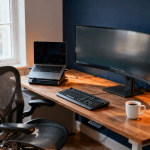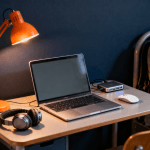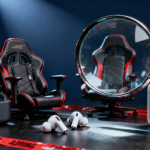
Every week on r/NewTubers, someone posts the same question: “I have $500 — what gear should I buy to start a YouTube channel?” And every week, the top reply is some version of: spend most of it on audio, use your phone for video, and just start.
That advice is correct. But it is also incomplete. After combing through hundreds of threads across r/NewTubers, r/podcasting, r/Twitch, r/videography, and r/ContentCreation, we have built three complete creator kits at different price points — $300 starter, $800 mid-tier, and $2,000 pro — so you can stop researching and start creating.
This guide covers audio, video, lighting, and software. No affiliate-bait filler. No recommending a $3,500 cinema rig to someone recording talking-head videos in their bedroom. Just the gear that actually matters at each stage of the creator journey.
Contents
- 1 The 3-Tier Creator Kit: A Quick Overview
- 2 Audio Gear: The #1 Priority (Yes, Before Your Camera)
- 3 Camera & Webcam: What You Actually Need at Each Level
- 4 Lighting: The Most Underrated Upgrade
- 5 Software: The Free Stack That Rivals Paid Suites
- 6 The “Just Start” Philosophy
- 7 Common Creator Money Traps
- 8 Frequently Asked Questions
- 9 Final Verdict: Your 2026 Creator Kit
The 3-Tier Creator Kit: A Quick Overview
Before we dive into individual categories, here is the framework. Every creator kit breaks down into four pillars: audio, video, lighting, and software. The ratio of spending should shift depending on your budget, but audio always takes priority.
- Starter Kit (~$300): USB microphone, decent webcam, basic ring light or desk lamp, free software. This is the “prove you can be consistent” tier.
- Mid-Tier Kit (~$800): Prosumer USB mic or entry XLR, dedicated content camera or premium webcam, proper key light, free software with optional paid plugins.
- Pro Kit (~$2,000): XLR microphone with audio interface, mirrorless camera, professional lighting setup, full software suite. This is the “you have an audience and you are reinvesting” tier.
A recurring theme on r/ContentCreation is that most viewers will tolerate mediocre video but will click away from bad audio within seconds. That is not opinion — it is backed by every audience retention study YouTube has published. So let us start where your money matters most.
Audio Gear: The #1 Priority (Yes, Before Your Camera)
If you take one thing from this entire article, let it be this: audio is not just important — it is the single highest-ROI investment you will make as a creator. A $100 microphone upgrade is more noticeable to your audience than a $1,000 camera upgrade. This is near-universal consensus across r/podcasting and r/NewTubers.
Budget Audio (~$50–$100): Rode NT-USB Mini & Samson Q2U
Two microphones dominate the budget conversation, and they serve different use cases:
- Rode NT-USB Mini (~$80): A condenser USB mic with a surprisingly small footprint. Excellent for quiet, treated rooms. The built-in pop filter is decent, and the audio quality punches well above its price. This is the default recommendation on r/NewTubers for a reason.
- Samson Q2U (~$70): A dynamic USB/XLR hybrid. The dynamic capsule rejects more background noise than the Rode, making it the better choice if you are recording in a noisy apartment, shared space, or untreated room. The XLR output also means you can grow into an audio interface later without replacing the mic.
As one r/podcasting commenter put it:
“The Q2U is the Honda Civic of microphones. It is not exciting, it is not sexy, but it will get you where you need to go for years.”
At this tier, pair either mic with a simple boom arm ($20–$30 on Amazon) and you are set. Do not waste money on a shock mount at this level — just do not slam your desk while recording.
Mid-Tier Audio (~$150–$250): Elgato Wave:3 & Shure MV7
- Elgato Wave:3 (~$150): The streamer’s darling. The Wave:3 integrates beautifully with Elgato’s Stream Deck ecosystem and has a built-in clipguard feature that prevents distortion when you yell at a jump scare. If you are primarily a Twitch streamer, this is probably your mic.
- Shure MV7 (~$250): The podcaster’s upgrade path. USB and XLR outputs, excellent noise rejection for a dynamic mic, and that unmistakable Shure build quality. It looks professional on camera, sounds professional in the mix, and it is the mic you will see on half the desks in r/podcasting setup photos.
Both of these are USB microphones that sound close to entry-level XLR setups. The convenience factor of USB should not be underestimated — fewer cables, no interface to configure, no gain staging to learn. For most creators at this stage, that simplicity is worth more than the marginal audio improvement of going XLR.
Pro Audio (~$300–$500): Rode PodMic + Audio Interface
Once you are ready to go XLR, the Rode PodMic ($100) paired with a Focusrite Scarlett Solo or Vocaster One ($100–$130) is the setup that r/podcasting and r/videography collectively endorse. The PodMic is a broadcast-style dynamic microphone that sounds remarkably close to the Shure SM7B at a fraction of the cost.
At this level, you are also investing in your monitoring chain. A good pair of closed-back headphones is essential for editing and catching audio issues in real time. The Sony WH-1000XM6 works well for monitoring during editing sessions, though for critical recording you may want wired studio monitors.
The total XLR setup runs around $250–$350, which is less than a single Shure MV7. The trade-off is complexity — you now have gain knobs to manage, phantom power to understand (not needed for the PodMic, but relevant if you upgrade to a condenser later), and more cables on your desk.
Camera & Webcam: What You Actually Need at Each Level
Here is the uncomfortable truth that r/NewTubers regulars love to repeat: your phone camera is probably better than any webcam under $100. If you are starting from zero, use your phone. Seriously. But if you want a dedicated setup, here is what makes sense at each tier.
Budget Video (~$50–$80): Logitech Brio 300
The Logitech Brio 300 (~$70) is the budget webcam we keep coming back to. It handles 1080p reliably, the auto-exposure is competent in mixed lighting, and it just works — no driver headaches, no random disconnects. We covered it in depth in our best webcams for remote work roundup, and everything we said there applies to creators too.
At this price point, do not expect miracles in low light. A $20 ring light will do more for your video quality than upgrading to a more expensive webcam.
Mid-Tier Video (~$300–$500): Sony ZV-1F & Elgato Facecam MK.2
- Sony ZV-1F (~$400): Sony built this camera specifically for creators, and it shows. The wide-angle lens is perfect for desk setups where the camera sits close to you, the background defocus button gives you that blurred-background look without manual settings, and the flip-out screen lets you frame yourself without a monitor. It is the most recommended “first real camera” on r/videography for talking-head content.
- Elgato Facecam MK.2 (~$150): If you want a webcam-style form factor but with dramatically better image quality, the Facecam MK.2 delivers. It uses a Sony STARVIS 2 sensor, shoots at 1080p60 or even uncompressed 1080p30, and gives you manual control over every setting through Elgato’s software. No autofocus hunting, no random white balance shifts mid-stream.
The choice between these two comes down to workflow. If you record, edit, and upload — get the Sony. If you stream live and want zero friction — get the Elgato.
Pro Video (~$800–$1,300): Sony A6700 & Canon R50
- Sony A6700 (~$1,200): The APS-C mirrorless king for creators. 4K60 with no crop, outstanding autofocus that tracks your face and eyes seamlessly, excellent low-light performance, and a huge ecosystem of lenses. This is the camera that lets you grow from talking-head videos into cinematic B-roll, short films, and documentary-style content without switching bodies.
- Canon R50 (~$800): A more affordable entry into mirrorless that still delivers excellent video. Canon’s color science is widely regarded as the most flattering for skin tones straight out of camera, and the Dual Pixel autofocus is rock solid. If you do not need 4K60 and want to save $400 for lenses and accessories, the R50 is the smarter play.
At this tier, budget an additional $100–$200 for a capture card (Elgato Cam Link 4K or similar) if you plan to use the camera for streaming, plus $50–$100 for a dummy battery so the camera does not die mid-stream.
Lighting: The Most Underrated Upgrade
Lighting is the category that separates “this looks professional” from “this looks like a Zoom call from 2020.” The good news: competent lighting is cheap.
The Key Light + Fill Light Basics
Every creator needs, at minimum, a key light — the main light source illuminating your face. Position it at roughly 45 degrees to one side and slightly above eye level. This creates natural shadows that add depth to your face on camera.
A fill light on the opposite side, set to about half the brightness of your key light, softens those shadows without eliminating them. You do not need expensive panel lights for this. A $30 LED panel from Amazon works fine. Even a desk lamp bounced off a white wall can serve as fill.
- Budget ($30–$60): A single LED panel or ring light. Ring lights get mocked on Reddit, but they are genuinely effective for front-facing content. The circular catchlight in your eyes is a matter of taste.
- Mid ($100–$200): An Elgato Key Light Mini or Logitech Litra Glow for your key, plus a cheap LED panel for fill. The Key Light Mini integrates with Stream Deck for on-the-fly adjustments.
- Pro ($200–$400): Elgato Key Light or equivalent panel light for key and fill, plus a backlight or RGB accent light for visual interest. A proper 3-point lighting setup makes even a plain wall background look intentional.
Monitor Light Bars for Desk Streamers
If you stream or record at a desk, a monitor light bar is a surprisingly effective and space-efficient lighting solution. Models like the BenQ ScreenBar or Xiaomi Monitor Light Bar sit on top of your monitor and illuminate your face without adding glare to the screen. Multiple r/Twitch streamers have noted that a monitor light bar combined with bias lighting behind the monitor creates a clean, flattering look with zero desk footprint. For more on optimizing your desk setup, see our ultimate productivity desk setup guide.
Software: The Free Stack That Rivals Paid Suites
One of the best things about creating content in 2026 is that the free software tier is genuinely professional-grade. You do not need to spend a cent on software to produce high-quality content.
- OBS Studio (Free): The gold standard for streaming and screen recording. Open source, endlessly customizable, and supported by a massive plugin ecosystem. Every streamer on r/Twitch uses it, or uses something built on top of it. There is a learning curve, but the community documentation is excellent.
- DaVinci Resolve (Free): Blackmagic’s video editor is, frankly, absurd for a free product. Color grading that rivals tools costing $300 per year, a Fairlight audio suite for podcast editing, and Fusion for motion graphics. The free version handles 4K editing without watermarks. If you are editing video, this is the correct answer in 2026. A good monitor makes editing significantly more pleasant — we cover panel recommendations in our best monitors roundup, and those same picks work great for video work.
- Descript (Free tier / $24 per month): For podcast creators specifically, Descript is a game-changer. It transcribes your audio and lets you edit it like a text document — delete a sentence from the transcript and it removes it from the audio. The free tier is limited but enough to evaluate whether it fits your workflow.
If you are curious about how these tools fit into a broader creator and developer workflow, our developer tech stack guide covers the full software ecosystem.
The “Just Start” Philosophy
This is the section where we step back from gear recommendations and deliver the message that every experienced creator on Reddit eventually shares:
“Your first 50 videos are going to be bad. That is not a maybe — it is a statistical certainty. The difference between creators who succeed and creators who quit is that the successful ones posted those 50 bad videos anyway.”
Gear does not make you a creator. Consistency does. The best microphone in the world will not help you if you record one episode and then disappear for three months. The best camera will not save a video with no structure, no hook, and no value for the viewer.
Start with what you have. Your phone, your earbuds, natural window light. Make ten videos or ten podcast episodes. If you are still going after ten — congratulations, you are more committed than 90% of people who “want to start a channel.” Now invest in gear upgrades that solve specific problems you have identified in your workflow.
This progression-based approach is the most upvoted advice on r/NewTubers, and for good reason. It protects you from the most common trap in content creation.
Common Creator Money Traps
The content creator space is riddled with ways to waste money. Here are the ones that come up most frequently on Reddit:
- Buying a $2,000 camera before having an audience. This is the number one trap. You do not need cinema-quality video for a channel with 47 subscribers. Your audience at that stage cares about your content, not your color grading. Invest in a good camera when your content quality is genuinely bottlenecked by video quality — and be honest with yourself about when that actually is.
- Acoustic treatment overkill. Foam panels on every wall, bass traps in every corner — for a podcast recorded in a spare bedroom. A thick blanket hung behind your mic and a closet full of clothes nearby will get you 80% of the way there for $0.
- Chasing the latest gear. New microphones, cameras, and lights come out constantly. Unless a new product solves a specific, identified problem in your workflow, skip it. The Shure SM7B has been recommended since before some current creators were born. Good gear stays good.
- Paying for software you do not need yet. Adobe Creative Cloud at $55 per month is a significant expense when DaVinci Resolve and OBS do the same job for free. Wait until you hit specific limitations in free tools before opening your wallet.
- Over-investing in graphics and branding. Custom overlays, animated intros, professional logos — none of these matter if your content is not good. Make 30 videos with a text-only intro. If people keep watching, then invest in branding.
Frequently Asked Questions
Do I really need a dedicated microphone if my webcam has one built in?
Yes. Built-in webcam microphones are universally terrible. They pick up every ambient noise in the room, they sound thin and distant, and they will make your content sound amateur regardless of how good your video looks. A $50 USB microphone is the single biggest quality jump you can make. This is not even debatable on r/podcasting or r/NewTubers — it is the one piece of advice that has near-100% consensus.
Should I start with YouTube, podcasting, or streaming?
Start with the format that you will actually stick with. YouTube has the best discoverability and long-term growth potential. Podcasting has the lowest barrier to entry (audio only, no video editing). Streaming has the most immediate community interaction but the hardest growth curve. Pick based on your personality and schedule, not on which platform is theoretically “best.” Many successful creators on r/ContentCreation started on one platform and expanded once they found their voice.
Is 4K video necessary for YouTube in 2026?
For most creators, no. 1080p at 30fps or 60fps is more than sufficient for talking-head content, tutorials, and most podcast video. 4K matters more for cinematic content, travel vlogs, and anything where you want flexibility to crop or reframe in post. YouTube does give a slight algorithmic boost to higher-resolution uploads, but the difference is negligible compared to factors like watch time and click-through rate.
What is the best free video editor in 2026?
DaVinci Resolve, without question. It is the most capable free video editor available, with professional-grade color correction, audio mixing, and visual effects built in. The learning curve is steeper than something like iMovie or CapCut, but the ceiling is incomparably higher. Nearly every video editing thread on r/videography recommends it as the default free option.
How much should I budget for my first creator setup?
Between $100 and $300 is the sweet spot for a first setup. A $70 microphone, a $20 boom arm, and a $30 light will transform your content quality dramatically. If you already have a phone with a decent camera (anything from the last three to four years), that is genuinely all you need to start. Spend money on upgrades only after you have identified specific pain points in your process — not before.
Final Verdict: Your 2026 Creator Kit
The creator gear landscape in 2026 is the most accessible it has ever been. A $300 setup today sounds better and looks better than a $1,000 setup from five years ago. The software is free. The knowledge is free. The only thing standing between you and your first piece of content is the decision to start.
If you are on a tight budget, buy the Samson Q2U, use your phone, and download OBS and DaVinci Resolve. You are in business for under $100. If you have more to invest, the mid-tier kit built around a Shure MV7 and Sony ZV-1F is the sweet spot where diminishing returns have not yet kicked in. And if you are ready to go pro, the Rode PodMic plus Sony A6700 combination will carry you through years of content creation without needing an upgrade.
Stop researching. Start creating. Upgrade when the gear is the bottleneck — not before.
Editorial Independence Note: WU120 Tech Insights is fully independent. We are not sponsored by any brand mentioned in this article, and no manufacturer has reviewed or approved this content before publication. Our recommendations are sourced from real community discussions on Reddit and our own hands-on experience. We may earn a small commission if you purchase through our links, but this never influences our recommendations. We recommend the same gear we would buy with our own money.