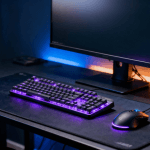
Every week, someone posts on r/buildapc or r/budgetgaming asking the same question: “I have $1,000 — what’s the best complete gaming setup I can build around my PC?” Not the PC itself. The stuff around it. The monitor, keyboard, mouse, headset, desk, and chair that you actually touch, hear, and stare at for thousands of hours.
We scraped hundreds of those threads, cross-referenced recommendations from r/pcgaming, r/monitors, r/mechanicalkeyboards, and r/budgetgaming, and distilled them into this guide. No affiliate-bait filler. No “gaming branded” garbage. Just the consensus picks that keep showing up from people who actually use this stuff daily.
Here is the blunt truth: a $1,000 peripheral budget in 2026 gets you a setup that would have cost $2,000 three years ago. The monitor market cratered in price, mechanical keyboards went mainstream, and lightweight mice are no longer a niche flex. If you spend wisely, you will have zero reason to upgrade anything for years.
Contents
- 1 The $1,000 Complete Gaming Setup: Category by Category
- 2 Monitor ($250–$400): The 27″ 1440p 165Hz IPS Sweet Spot
- 3 Keyboard ($50–$100): Hot-Swappable Mechanical Is the Move
- 4 Mouse ($40–$70): Lightweight Is King
- 5 Headset ($60–$100): Open-Back vs. Closed-Back for Gaming
- 6 Desk ($150–$300): Standing Desk or Solid Basic Desk
- 7 Chair ($150–$250): Office Chair, NOT Gaming Chair
- 8 Mousepad / Desk Mat ($15–$30): Just Get a Desk Mat
- 9 What NOT to Buy for Gaming: The RGB Tax and “Gaming” Branding
- 10 The Diminishing Returns Point: Where Extra Money Stops Mattering
- 11 Frequently Asked Questions
- 11.1 Is $1,000 enough for a complete gaming setup (not including the PC)?
- 11.2 Should I buy everything at once or piece by piece?
- 11.3 1080p or 1440p for gaming in 2026?
- 11.4 Are gaming chairs really that bad?
- 11.5 Wired or wireless mouse for gaming?
- 11.6 Do I need a separate microphone or is a headset mic fine?
- 11.7 What about ultrawide monitors for gaming?
- 12 The Bottom Line
The $1,000 Complete Gaming Setup: Category by Category
Before we break this down, here is the budget allocation that Reddit generally agrees on:
- Monitor: $250–$400 (the single most important purchase)
- Keyboard: $50–$100
- Mouse: $40–$70
- Headset: $60–$100
- Desk: $150–$300
- Chair: $150–$250
- Mousepad / Desk Mat: $15–$30
Total range: $715–$1,250. Most people land right around $950–$1,050. Let’s go piece by piece.
Monitor ($250–$400): The 27″ 1440p 165Hz IPS Sweet Spot
This is not debatable anymore. If you visit r/monitors in 2026, the consensus is overwhelming: 27 inches, 1440p resolution, 165Hz refresh rate, IPS panel. That is the sweet spot. It has been the sweet spot for two years and nothing has dethroned it at this price.
Why 1440p and Not 4K?
Because at 27 inches, 1440p looks sharp enough that most people cannot tell the difference at normal desk distance, and your GPU does not have to work nearly as hard. A mid-range GPU pushes 1440p at high framerates comfortably. At 4K, you need significantly more GPU power for a marginal visual improvement on a 27-inch screen. Reddit overwhelmingly calls 4K at 27 inches “a waste of GPU cycles for gaming.”
Why 165Hz?
Because the jump from 60Hz to 144–165Hz is the single biggest perceptual upgrade in any gaming setup. Everything feels smoother — menus, camera movement, aiming. The jump from 165Hz to 240Hz exists, but it is dramatically smaller. You are paying 60–80% more for maybe a 10–15% perceptible improvement. Classic diminishing returns.
The Reddit Picks
The monitors that consistently get recommended on r/monitors and r/buildapc in early 2026 include panels from Gigabyte, Dell, LG, and ASUS in this bracket. Look for IPS panels with good out-of-box color accuracy and minimal backlight bleed. VA panels are fine if you play mostly single-player games and want deeper blacks, but IPS wins for competitive play due to faster response times and better viewing angles.
If you also do coding or productivity work on the same monitor, a 27-inch 1440p panel is ideal for that too. We covered this overlap extensively in our best monitors for coding in 2026 guide — many of the top coding monitors are also excellent gaming displays.
Keyboard ($50–$100): Hot-Swappable Mechanical Is the Move
The mechanical keyboard market in 2026 is absurdly good at the $50–$100 price point. Budget boards now ship with features that were $200+ territory just a few years ago: hot-swappable switches, gasket-mount designs, pre-lubed stabilizers, and south-facing LEDs.
What “Hot-Swappable” Means and Why It Matters
Hot-swap sockets let you pull switches out and replace them without soldering. This means your $70 keyboard is never “locked in” — you can start with budget linear switches and swap to tactile or silent switches later. Reddit’s r/mechanicalkeyboards community hammers this point relentlessly: never buy a non-hot-swap board in 2026.
Layout: 75% or TKL
Full-size keyboards are dead for gaming. They push your mouse too far to the right, which is bad for ergonomics and aim. The community consensus is either a 75% layout (compact, with function row) or TKL (tenkeyless, without numpad). Both give you more desk space for mouse movement.
“Bought a $65 75% board with Gateron switches and foam dampening. Sounds better than my friend’s $180 Razer. The budget keyboard market is insane right now.” — r/budgetgaming user, February 2026
For those who also use their keyboard for programming, the overlap between gaming and coding keyboards is significant. Our best mechanical keyboards for programming guide covers many of the same boards from a productivity angle.
Mouse ($40–$70): Lightweight Is King
The “lightweight mouse revolution” that started around 2019 is now fully mature. In 2026, you can get a sub-60-gram wireless gaming mouse with a top-tier sensor for under $70. That was unthinkable five years ago.
What to Look For
- Weight: Under 70 grams. Ideally under 60g. Lighter mice reduce wrist fatigue over long sessions and allow faster, more precise aim.
- Sensor: Any modern sensor from PixArt (PAW 3395 or newer) or the equivalent is more than sufficient. Sensor performance stopped being a differentiator years ago — they are all excellent now.
- Shape: This is the most personal part. Ambidextrous vs. ergonomic (right-handed) is a real preference. The only way to know is to try one, which is why Reddit recommends buying from retailers with good return policies.
- Wireless: In 2026, wireless gaming mice have zero perceptible latency disadvantage over wired. The r/pcgaming community considers this a settled debate. Go wireless if your budget allows.
Brands that dominate the recommendation threads: Logitech, Razer (specifically their lightweight line, not the heavy “gaming” bricks), Pulsar, and Lamzu.
Headset ($60–$100): Open-Back vs. Closed-Back for Gaming
This is where Reddit gets surprisingly opinionated. The gaming headset market is full of overpriced, mediocre products with “7.1 surround” marketing slapped on them. The actual advice from r/pcgaming and audio-focused subreddits is simpler than you think.
Open-Back Headphones + Separate Mic
If you game in a quiet room, open-back headphones provide a wider soundstage, which means better positional audio in shooters and more immersive audio in single-player games. The sound leaks out (and in), so they are terrible in noisy environments. Pair them with a $20–$30 USB desk microphone and you will sound better on voice chat than anyone wearing a gaming headset.
Closed-Back Headsets
If you game in a shared space, have roommates, or need noise isolation, closed-back is the way. Decent closed-back gaming headsets exist at $60–$80 that include acceptable microphones. They will not match a dedicated mic for voice quality, but they are convenient and get the job done.
“Stopped buying gaming headsets. Got open-back headphones for $75 and a desk mic for $25. The difference in sound quality is embarrassing. I can actually hear footsteps directionally now.” — r/pcgaming, January 2026
For those interested in premium noise-canceling options that double for music and travel, our Sony WH-1000XM6 review covers the latest from Sony — though those are not ideal for competitive gaming due to Bluetooth latency.
Desk ($150–$300): Standing Desk or Solid Basic Desk
The desk question splits Reddit cleanly into two camps.
Camp 1: Electric Standing Desk ($250–$300)
The standing desk crowd argues — correctly — that being able to switch between sitting and standing throughout a long gaming or work session is better for your body. Electric standing desks from brands that sell direct-to-consumer have dropped significantly in price. A 48″ x 24″ electric sit-stand desk with a solid top can be had for $250–$300 in 2026. Reddit’s most recommended brands are the ones that use dual-motor frames with good stability at standing height.
Camp 2: Simple, Large, Solid Desk ($150–$200)
The other camp says: just get a large, sturdy desk and spend the savings elsewhere. A basic 60″ butcher-block-style desk on simple legs is rock solid, gives you massive surface area, and costs $150–$200. No wobble, no motors to break, no electronics to fail.
Both approaches are valid. What Reddit universally agrees on: do not buy a “gaming desk” — those flimsy, narrow desks with RGB strips and cup holders are overpriced and undersized. You want surface area and stability, not gamer aesthetics.
We did a deep dive on desk setups for people who work and game at the same station in our ultimate productivity desk setup guide. Many of the recommendations carry over directly.
Chair ($150–$250): Office Chair, NOT Gaming Chair
This is the hill Reddit will die on, and they are absolutely right.
Do not buy a “gaming chair.” The racing-seat design with bucket wings and a flat base is ergonomically terrible for sitting at a desk. These chairs became popular because streamers got sponsorship deals, not because they are good. The foam is cheap, the pleather peels within a year, and the ergonomics are designed for a car cockpit — not an upright desk position.
What to Buy Instead
A proper ergonomic office chair with:
- Adjustable lumbar support (not a separate pillow — integrated support)
- Adjustable armrests (at minimum height-adjustable, ideally 3D or 4D)
- Mesh back (keeps you cool during long sessions — leather and pleather trap heat)
- Seat depth adjustment (so the edge does not cut into the back of your knees)
At $150–$250, you are looking at new mid-range office chairs or — Reddit’s favorite move — a used Herman Miller or Steelcase from an office liquidator. A secondhand Steelcase Leap or Herman Miller Aeron for $200 will outlast and outperform any $400 gaming chair. Check local office furniture liquidators, Facebook Marketplace, and Craigslist.
“Sold my SecretLab and bought a used Steelcase Leap for $180. My back pain went away in two weeks. I am never going back.” — r/buildapc, March 2026
Mousepad / Desk Mat ($15–$30): Just Get a Desk Mat
Do not overthink this. Get a large desk mat (900mm x 400mm or bigger) in a dark color. It protects your desk surface, gives your mouse a consistent glide area, and makes your keyboard sit more comfortably. Cloth surface is the standard recommendation — it works with every mouse sensor and is easy to wash.
Avoid “speed” or “control” branded gaming pads unless you have a specific preference you have tested. A basic extended desk mat for $15–$25 does the job perfectly.
What NOT to Buy for Gaming: The RGB Tax and “Gaming” Branding
Here is a list of things Reddit will roast you for buying. We agree with every single one.
The RGB Tax
RGB lighting on peripherals adds $10–$40 to the price of nearly everything. On monitors, keyboards, mouse pads, headset stands, RAM — everything. Does it make you play better? No. Does it look cool for about two weeks before you set it to a static color or turn it off entirely? Yes. If you are on a budget, skip RGB entirely and put that money toward a better panel or a better chair. Your back will thank you more than your eyes.
“Gaming” Branded Peripherals to Avoid
- “Gaming” desks: Narrow, flimsy, overpriced. Buy a real desk.
- “Gaming” chairs: Covered above. Buy an office chair.
- “7.1 Surround Sound” headsets: Virtual surround is a software gimmick. Good stereo headphones with a wide soundstage will give you better positional audio than any “7.1 gaming headset.”
- “Gaming” Ethernet cables: Yes, these exist. No, they do not do anything different from a standard Cat 6 cable. This is one of the most egregious “gaming tax” products on the market.
- “Gaming” glasses: Blue-light filtering is built into every modern OS now. You do not need yellow-tinted glasses.
- Wrist rests with “gaming” branding: A $10 generic wrist rest from any office supply store is identical to a $30 “gaming” wrist rest. The foam is the same.
“The word ‘gaming’ on any product that isn’t a GPU, mouse, or monitor is a red flag that you’re about to overpay for worse quality.” — r/buildapc, top comment with 4.2k upvotes
The Diminishing Returns Point: Where Extra Money Stops Mattering
This is perhaps the most useful framework Reddit has developed for gaming setups. Every peripheral category has a “cliff” where additional spending yields almost no perceptible improvement.
Monitor: The Cliff Is Around $400–$500
A $400 1440p 165Hz IPS monitor and a $900 1440p 240Hz OLED look different in side-by-side comparisons and benchmark screenshots. In actual gameplay, the gap is shockingly small for most people. Unless you are a competitive esports player where single-digit millisecond response times matter, you hit diminishing returns hard above $400.
Keyboard: The Cliff Is Around $100–$120
A $70 hot-swap mechanical keyboard with decent switches and a $200 custom board with lubed switches and a polycarbonate plate will type and feel different. But the $70 board is already good. The extra $130 gets you a nicer sound profile and marginally smoother keystrokes. For gaming specifically, there is zero performance difference.
Mouse: The Cliff Is Around $70–$80
Modern sensors are all so good that a $50 mouse tracks identically to a $150 mouse. The differences above $70 are shape refinements, slightly lower weight, and fancier scroll wheels. Nice to have, not need to have.
Headset: The Cliff Is Around $100–$150
Audio quality improves significantly up to about $100–$150. Beyond that, you are entering audiophile territory where you need a DAC/amp stack to even take advantage of what the headphones can do. For gaming, $100 headphones are more than sufficient.
Chair: The Cliff Is Around $300–$400 (New) or $150–$200 (Used)
A new $300 office chair is meaningfully better than a $100 one. A $1,200 Herman Miller Aeron is only marginally better than a $300 chair for most people — and a used Aeron at $250 is the actual sweet spot. The “used premium office chair” strategy that r/buildapc loves is genuinely the best value in the entire setup.
The point here is not that expensive gear is bad. It is that the first $1,000 gets you 90% of the experience, and the next $1,000 gets you maybe 5% more. Reddit understands this intuitively because the community skews toward value optimization, not brand worship.
For a broader look at how this value-optimization mindset applies to tech purchases across the board, our developer tech stack 2026 guide covers similar diminishing-returns analysis for software tools, laptops, and development hardware.
Frequently Asked Questions
Is $1,000 enough for a complete gaming setup (not including the PC)?
Yes. A $1,000 peripheral budget in 2026 buys you a genuinely excellent setup with no weak links. You can get a high-refresh 1440p monitor, quality mechanical keyboard, lightweight wireless mouse, good headphones, a proper desk, and an ergonomic chair. Two years ago this would have required $1,400–$1,600. Component prices have dropped across the board.
Should I buy everything at once or piece by piece?
Reddit generally recommends buying the monitor and chair first, since those have the biggest impact on your experience and health. The keyboard, mouse, and headset can come later without meaningfully degrading your setup in the meantime — your existing peripherals will hold you over. Watching for sales on individual items over a few weeks can save you 15–20% on the total build.
1080p or 1440p for gaming in 2026?
1440p. The price difference between a good 1080p and a good 1440p monitor has shrunk to $30–$60, and the visual improvement is significant. The only reason to go 1080p in 2026 is if you are playing exclusively competitive esports titles and want to push 300+ FPS on a budget GPU. For everyone else, 1440p is the default.
Are gaming chairs really that bad?
They are not dangerous or broken — they are just overpriced for what they offer. A $250 gaming chair is ergonomically inferior to a $250 office chair in almost every measurable way. The flat seat base, bucket-style wings, and lack of proper lumbar adjustment are designed for aesthetics, not for sitting 6–10 hours at a desk. The r/buildapc community has been beating this drum for years, and the evidence backs them up.
Wired or wireless mouse for gaming?
Wireless. This debate is over. Modern 2.4GHz wireless gaming mice from Logitech, Razer, Pulsar, and others have polling rates and latency that match or exceed wired connections. The freedom from cable drag is a meaningful quality-of-life upgrade. The only downside is remembering to charge, and most modern wireless mice last 60–100+ hours on a single charge.
Do I need a separate microphone or is a headset mic fine?
For casual gaming and voice chat, a headset mic is fine. If you stream, record content, or want noticeably better voice quality in Discord, a $25–$35 USB desk mic is a worthwhile addition. The jump in voice clarity is immediately noticeable to everyone you talk to.
What about ultrawide monitors for gaming?
Ultrawides (34″ 3440×1440) are fantastic for immersive single-player games and productivity, but they have trade-offs for competitive gaming: not all games support the aspect ratio properly, some competitive titles restrict FOV on ultrawide, and you need a more powerful GPU to drive the extra pixels. At the $1,000 total budget, a standard 27″ 1440p monitor is the better value play. Save the ultrawide upgrade for when your budget allows a second monitor or a larger overall investment.
The Bottom Line
A $1,000 gaming peripheral setup in 2026 is genuinely excellent. The market has matured to the point where budget options are not “budget” in quality — they are just priced fairly. The biggest mistakes people make are overspending on aesthetics (RGB, “gaming” branding) and underspending on ergonomics (cheap chair, tiny desk).
Prioritize in this order: chair, monitor, desk, mouse, keyboard, headset, desk mat. Your body matters more than your pixels, and your pixels matter more than your peripherals. Get the ergonomics right first, the display right second, and fill in the rest with the solid mid-range options that Reddit recommends daily.
You do not need to spend $2,000 to have a setup that looks, feels, and performs great. You need to spend $1,000 wisely — and now you know how.
Editorial Independence Note: WU120 Tech Insights maintains full editorial independence. No manufacturer, retailer, or brand has paid for placement or influenced recommendations in this article. Our picks are sourced entirely from community consensus across Reddit’s hardware and gaming subreddits, cross-referenced with publicly available reviews and specifications. We do not accept sponsored content or paid product placements. When we link to products or other articles on this site, it is because we genuinely believe they are relevant and useful — not because of any financial arrangement. Our only bias is toward value, honesty, and gear that actually works.