For the better part of a decade, asking Siri anything more complex than “set a timer for 8 minutes” was an exercise in managed disappointment. The responses were slow, the comprehension was shallow, and the personality was the verbal equivalent of a corporate FAQ page. When Apple launched Apple Intelligence 1.0 in late 2024, hopes were high. The reality was… fine. Summarize this email? Sure. Generate a Genmoji that looks vaguely like your request? Also sure. Anything that required genuine reasoning, contextual understanding, or multi-step problem solving? Go download ChatGPT.
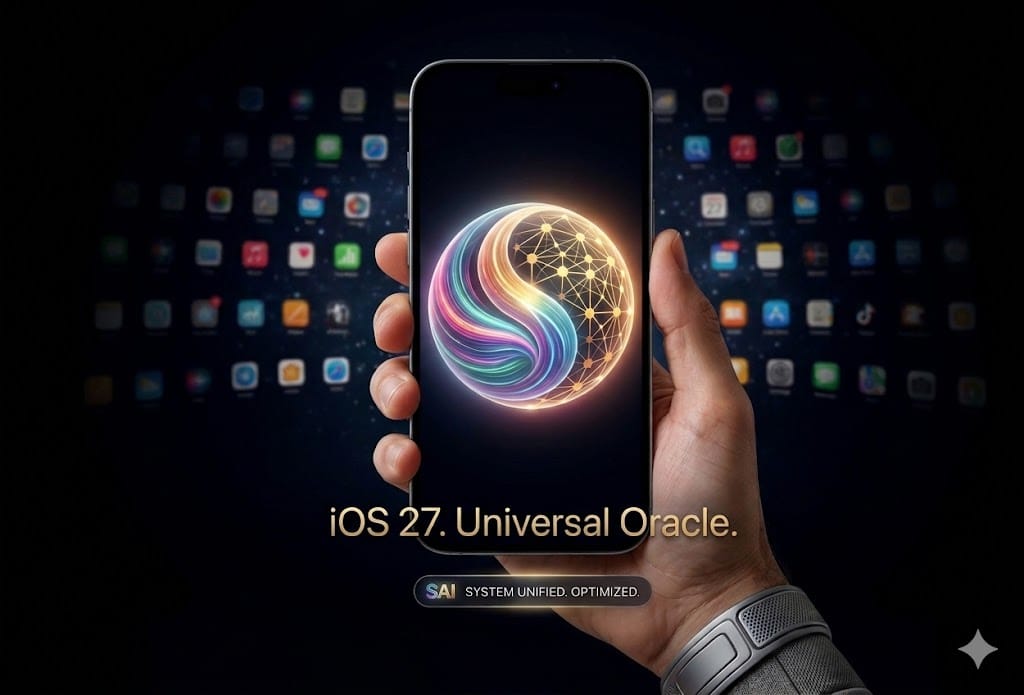
WWDC 2026 changed the equation. Apple Intelligence 2.0 in iOS 27 represents the largest Siri overhaul since the assistant’s debut. Siri is now a standalone app — not just a voice overlay — with the ability to pull in third-party AI models beyond OpenAI. The new Photo Reframe and Extend tools use generative AI directly in the Photos app. And Apple has added what they’re calling “Personal Context” — Siri can now reference your emails, messages, calendar, and files to answer questions about your life, not just the internet.
I’ve been running the iOS 27 developer beta for two weeks. I tested Apple Intelligence 2.0 against ChatGPT (GPT-5) and Google Gemini (2.5 Pro) across 20 real daily tasks. Here’s the unvarnished assessment.
On this page
What Actually Changed in Apple Intelligence 2.0
Before getting into testing results, let’s clarify what’s new versus what Apple is pretending is new:
- Siri as a standalone app — You can now open Siri like any other app, with a full-screen conversational interface. Chat history persists. You can type or speak. This sounds minor but it fundamentally changes how you interact with it — Siri is no longer a transient overlay that vanishes the moment you look away.
- Third-party model integration — Beyond the existing ChatGPT/OpenAI integration, Apple now supports Gemini and Anthropic models as optional backends. You can choose which model handles your queries in Settings > Apple Intelligence > AI Models. Apple’s on-device model handles simple tasks; complex queries get routed to your chosen cloud model.
- Personal Context — Siri can now search across Mail, Messages, Notes, Files, Calendar, and Reminders to answer personal questions. “What did Sarah say about the restaurant last week?” actually works now.
- Photo Reframe — Generative AI extends the boundaries of a photo, filling in what was outside the original frame. Useful for fixing tight crops.
- Photo Extend — Similar to Reframe but for adding content to specific areas. It’s Apple’s take on generative fill.
- Priority Notifications 2.0 — The notification summary system is more accurate and now includes suggested actions (“Reply with: Got it, see you at 7”).
What didn’t change: Siri still can’t control third-party apps in any meaningful way beyond basic Shortcuts. You can’t say “open Spotify and play my Discover Weekly” unless Spotify has built specific SiriKit support. The app ecosystem integration that would make Siri truly useful remains incomplete.
The 20-Task Showdown: Siri vs ChatGPT vs Gemini
I tested each assistant on 20 tasks across five categories. Scoring: 2 points for a complete, correct answer; 1 point for a partial answer; 0 for failure.
Category 1: Simple Queries (4 tasks)
Unit conversions, weather, timers, basic math. All three scored 8/8. This is table stakes in 2026 — if your AI assistant can’t convert kilometers to miles, it belongs in a museum.
Category 2: Personal Context (4 tasks)
This is where Apple Intelligence 2.0 should shine thanks to on-device data access. Tasks included: “When is my next dentist appointment?”, “What did Mom text me about the birthday gift?”, “Find the PDF John emailed me last month about the project budget”, and “How much did I spend on Amazon last week?”
| Task | Siri 2.0 | ChatGPT | Gemini |
|---|---|---|---|
| Find calendar event | 2 | 0 | 0 |
| Search message history | 2 | 0 | 0 |
| Find email attachment | 1 | 0 | 0 |
| Spending summary | 0 | 0 | 0 |
Siri won this category 5/8 vs 0/8 for both competitors. ChatGPT and Gemini literally cannot access your local device data (by design — this is a privacy feature, not a limitation). The spending summary failed across the board because none of them integrate with banking apps or Apple Card well enough to pull transaction data accurately.
This is Apple Intelligence 2.0’s genuine competitive advantage — the stuff that lives on your phone. If you use iMessage, Apple Mail, and Apple Calendar, Siri can now contextualize your life in ways ChatGPT never will. If you use Gmail, WhatsApp, and Google Calendar… well, Siri can’t touch those either.
Category 3: Complex Reasoning (4 tasks)
Planning a 3-day trip itinerary, comparing insurance plans, debugging a Python function, explaining a complex concept to a 10-year-old.
| Task | Siri 2.0 | ChatGPT | Gemini |
|---|---|---|---|
| Trip itinerary | 1 | 2 | 2 |
| Insurance comparison | 0 | 2 | 2 |
| Debug Python code | 1 | 2 | 2 |
| Explain complex topic | 1 | 2 | 2 |
Siri scored 3/8 vs ChatGPT and Gemini’s perfect 8/8. This is where the gap is still enormous. When Siri routes to a third-party model (I had it set to ChatGPT), the response quality improves dramatically — but there’s a noticeable delay and the handoff feels clunky. It’s like Siri says “hold on, let me ask someone smarter.”
Category 4: Creative Tasks (4 tasks)
Write a birthday message, brainstorm product names, draft a professional email, summarize a long article.
Siri scored 5/8, ChatGPT scored 8/8, Gemini scored 7/8. Siri’s on-device writing tools handle email drafting and message composition surprisingly well — this was already decent in Apple Intelligence 1.0 and it’s improved. But brainstorming and creative ideation still feel constrained. Siri gives you three options. ChatGPT gives you twenty with explanations.
Category 5: Device Control (4 tasks)
Set focus mode, change wallpaper, adjust accessibility settings, create a shortcut that dims lights and plays music.
Siri: 6/8. ChatGPT: 0/8. Gemini: 0/8. Again, this is about system access, not intelligence. Only Siri can actually control your iPhone.
Final Scores
| Assistant | Score | Strengths |
|---|---|---|
| ChatGPT (GPT-5) | 24/40 | Reasoning, creativity, knowledge |
| Gemini (2.5 Pro) | 23/40 | Reasoning, research, multilingual |
| Siri (AI 2.0) | 27/40 | Personal context, device control |
Siri wins on total score, but it’s a misleading victory. Siri’s lead comes entirely from categories where its competitors are structurally unable to compete (device control, personal data access). On the things that actually require intelligence — reasoning, creativity, knowledge — ChatGPT and Gemini still dominate.
The Photo Tools: Reframe and Extend
These are genuinely useful. Photo Reframe expanded a tightly cropped landscape shot and filled in the sky and trees with results that looked natural at phone-viewing distances. Zoom in and you can see the AI artifacts, but for Instagram or a text message, it’s impressive. Photo Extend is more hit-or-miss — it works well for simple backgrounds (sky, grass, walls) but struggles with complex patterns or faces.
If you care about photo editing, these tools are more convenient than opening a dedicated app, but they don’t replace Lightroom or Capture One for serious work. They’re quick-fix tools for quick-fix moments.
The Ecosystem Lock-In Problem
Here’s the issue nobody at WWDC mentioned: Apple Intelligence 2.0 is only as good as your commitment to the Apple ecosystem. If you use Apple Mail, iMessage, Apple Calendar, Apple Notes, and Apple Reminders, the Personal Context features are transformative. If you use Gmail, WhatsApp, Google Calendar, Notion, and Todoist — which describes roughly half of iPhone users — Siri can’t access any of that data.
This is intentional. Apple wants to make its own apps more valuable by making them the only ones Siri can deeply integrate with. Whether that’s a smart strategy or anti-competitive behavior depends on your perspective. From a user standpoint, it means Apple Intelligence 2.0’s best features have a significant asterisk.
Compare this to how Samsung and Google approach AI integration — both offer broader third-party app access for their AI features, though with their own trade-offs in privacy and consistency.
Should You Update to iOS 27?
Yes, but not primarily for Apple Intelligence 2.0. The general iOS 27 improvements (redesigned Control Center, better notification management, Stage Manager refinements on iPad) are worth the update. Apple Intelligence 2.0 is a meaningful step forward, but if you’re expecting Siri to replace your ChatGPT subscription, you’ll be disappointed.
The best use case for Siri 2.0 is as a personal data search engine — finding things in your messages, emails, and calendar. For everything else, keep ChatGPT installed. For phone recommendations that pair well with these new features, check our best phones for photography guide — camera AI features benefit from the same Apple Intelligence improvements.
FAQ
Does Apple Intelligence 2.0 work on older iPhones?
It requires iPhone 15 Pro or newer (A17 Pro chip minimum). If you’re on an iPhone 14 or older, you get iOS 27’s non-AI features but none of the Apple Intelligence 2.0 capabilities.
Is my data sent to Apple’s servers?
Simple queries run on-device. Complex queries that get routed to cloud models (ChatGPT, Gemini, Claude) are processed with Apple’s Private Cloud Compute — Apple claims they can’t see the content. Whether you trust that claim is between you and your threat model.
Can I use Apple Intelligence 2.0 without any third-party AI?
Yes. You can disable all third-party model routing in Settings. Siri will use only Apple’s on-device model, which means faster responses but significantly reduced capability for complex tasks.
Ethan Caldwell writes for WU120 — independent, first-party tested tech reviews. No WWDC hype, no ecosystem loyalty, just whether the thing actually works.