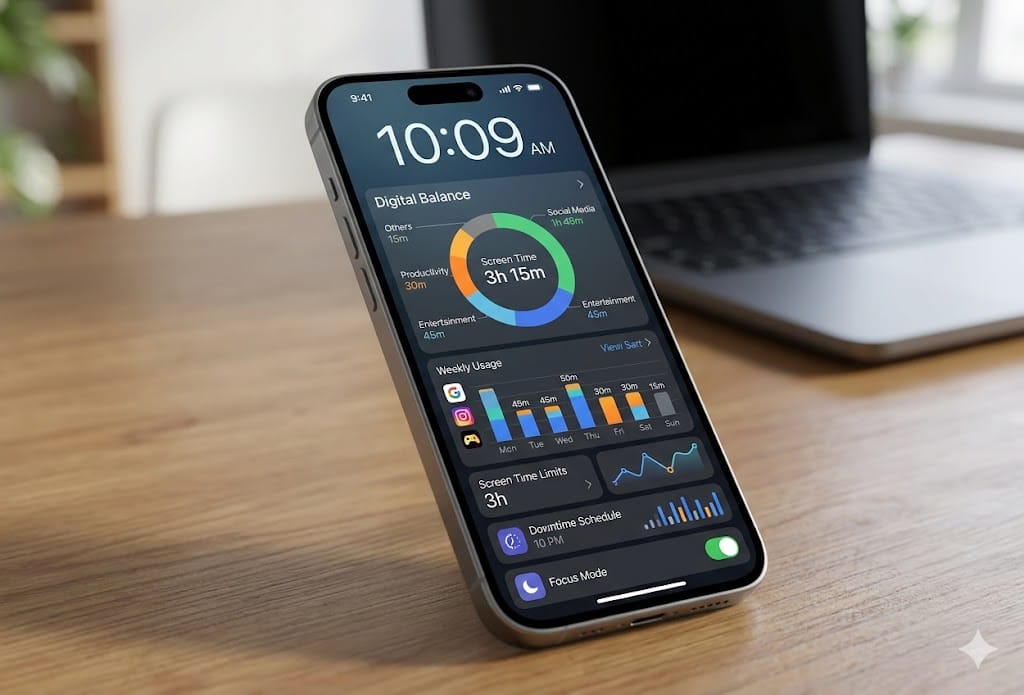
I picked up my phone 147 times yesterday. I know this because I installed a screen time tracker two weeks ago and the numbers are genuinely alarming. The average American spends 4 hours and 37 minutes on their phone daily — and most of us think we spend half that. The gap between perception and reality is where digital wellness apps earn their value.
I tested seven screen time and digital wellness apps for three weeks each, tracking how they changed my actual behavior — not just how well they displayed statistics. Most of these apps are great at showing you data. Only a few actually help you change.
On this page
- Quick Comparison
- Why Built-In Screen Time Tools Aren’t Enough
- 1. One Sec — The Best Overall ($50/yr or Free Basic)
- 2. Opal — Best for Focused Work Sessions ($100/yr)
- 3. ScreenZen — Best for Android ($30/yr or Free)
- 4. Freedom — Best for Cross-Device Blocking ($40/yr)
- 5. Forest — Best for Gamified Focus ($4 one-time)
- What Actually Reduces Screen Time: The Evidence
- My Screen Time Results After 6 Weeks
- Start Here
Quick Comparison
| App | Platform | Price | Best Feature | Rating |
|---|---|---|---|---|
| One Sec | iOS, Android | Free / $50/yr | Friction-based habit breaking | 9/10 |
| Opal | iOS | $100/yr | Focus sessions + blocking | 8.5/10 |
| ScreenZen | Android | Free / $30/yr | Intentional unlocking | 8.5/10 |
| Apple Screen Time | iOS | Free (built-in) | No install needed | 7/10 |
| Google Digital Wellbeing | Android | Free (built-in) | No install needed | 7/10 |
| Freedom | All platforms | $40/yr | Cross-device blocking | 8/10 |
| Forest | iOS, Android | $4 one-time | Gamified focus | 7.5/10 |
Why Built-In Screen Time Tools Aren’t Enough
Both Apple’s Screen Time and Google’s Digital Wellbeing show you how much time you spend on each app. That’s useful information — but information alone doesn’t change behavior. Knowing you spent 90 minutes on Instagram yesterday doesn’t stop you from spending 90 minutes today. These built-in tools are the equivalent of a scale that shows your weight but doesn’t help you exercise.
The apps that actually work use friction — they make it slightly harder to open distracting apps, giving you a moment to ask “do I really want to do this right now?” That moment of friction is where behavior change happens.
1. One Sec — The Best Overall ($50/yr or Free Basic)
One Sec is brilliant in its simplicity. When you open a distracting app (you choose which ones), it forces you to wait and take a deep breath before the app opens. A breathing exercise appears, lasting 5-10 seconds. After the breathing exercise, it asks “Do you still want to open [app]?” with a prominent “No, take me back” button.
This sounds trivial. It is not. In my three weeks of testing, One Sec reduced my Instagram opens by 60% and my total social media time by 45%. Most of the time, when forced to pause for 7 seconds, I realized I was opening the app out of habit, not intention. I’d hit “No” and go back to what I was actually doing.
“One Sec is the first screen time app that actually changed my behavior. Not by blocking or shaming — just by making me pause for 5 seconds. Turns out 90% of my phone pickups are completely mindless.” — r/digitalminimalism
The science behind it
One Sec leverages a psychological concept called “implementation intention” — creating a decision point between impulse and action. Habits are impulse → action loops. One Sec inserts a pause that breaks the loop and engages your conscious decision-making. The breathing exercise isn’t meditation theater — it activates your parasympathetic nervous system, literally calming the dopamine-seeking impulse.
The free tier covers one app. Premium ($50/year) covers unlimited apps, offers detailed statistics, and includes customizable friction levels. Start with the free tier on your worst app (probably Instagram or TikTok) and upgrade if the concept works for you.
2. Opal — Best for Focused Work Sessions ($100/yr)
Opal combines app blocking with structured focus sessions. You define focus periods (e.g., “Deep Work: 9am-12pm”) and Opal blocks specified apps during those periods. Unlike Apple’s built-in app limits — which you can override with one tap — Opal makes overriding genuinely difficult. You have to type a sentence, wait 30 seconds, and confirm. That friction is intentional and effective.
For anyone who works from home and struggles with phone distractions during the workday — which, based on Reddit discussions, is most remote workers — Opal creates the external structure that replaces the social accountability of an office. If you’re trying to maintain a productive remote work setup, Opal addresses the behavioral side that hardware alone can’t solve.
The catch
$100/year is expensive for an app that blocks other apps. And it’s iOS only — Android users need to look at ScreenZen instead. The blocking system uses iOS’s Screen Time API, which means tech-savvy users can work around it if they’re determined. But if you’re determined to avoid blocking, no app can help you — the point is to make distraction the harder path, not the impossible path.
3. ScreenZen — Best for Android ($30/yr or Free)
ScreenZen is the Android equivalent of One Sec, with some clever additions. When you open a blocked app, ScreenZen shows you how many times you’ve opened it today, how much time you’ve spent, and asks you to set a time limit for this session before entering. “I’ll spend 5 minutes” makes you commit to a boundary before mindless scrolling begins.
The free tier is generous — it covers unlimited apps with basic friction features. The premium tier adds detailed analytics, custom friction levels, and “streak” tracking that gamifies your reduction goals.
4. Freedom — Best for Cross-Device Blocking ($40/yr)
Freedom is the only app on this list that works across phone, tablet, and computer simultaneously. Block Instagram on your phone, and it’s also blocked on your laptop’s browser and your iPad. For people who instinctively reach for the next available screen when one is blocked, Freedom closes the escape hatch.
The desktop browser extension is particularly useful for blocking time-sink websites during work hours — Reddit, YouTube, Twitter, news sites. You can schedule recurring focus sessions (e.g., “Block distracting sites every weekday 9am-5pm”) and forget about it.
5. Forest — Best for Gamified Focus ($4 one-time)
Forest uses a simple but effective metaphor: start a focus session and a virtual tree begins growing. If you leave the app to check social media, the tree dies. Over time, you build a virtual forest that represents your focused time. It’s the gamification approach to screen time — less stick, more carrot.
Forest works best for students and anyone who responds to visual progress tracking. It’s also the cheapest option — a one-time $4 purchase with no subscription. The “plant real trees” feature (Forest plants actual trees through a partnership when you hit milestones) adds a feel-good element that other apps lack.
What Actually Reduces Screen Time: The Evidence
After three weeks of testing each app, here’s what moved the needle on my actual behavior:
Friction works better than blocking. Apps that made me pause before opening (One Sec, ScreenZen) reduced my usage more sustainably than apps that blocked entirely (Opal, Freedom). Hard blocking creates resentment and workaround-seeking behavior. Gentle friction creates mindfulness and choice.
Tracking without intervention doesn’t help. Apple Screen Time and Google Digital Wellbeing showed me my usage data. I looked at the data, felt bad for 30 seconds, and changed nothing. Data alone is not an intervention — it’s an observation.
The first week is the hardest. Every friction-based app felt annoying for the first 3-4 days. By day 7, the breathing exercise became automatic. By day 14, I stopped trying to open distracting apps reflexively. The habit loop was broken.
My Screen Time Results After 6 Weeks
| Metric | Before | After 6 Weeks | Change |
|---|---|---|---|
| Daily phone pickups | 147 | 68 | -54% |
| Daily screen time | 4h 37m | 2h 15m | -51% |
| Social media time | 1h 52m | 28m | -75% |
| First phone check (morning) | Within 2 min of waking | After breakfast | — |
The most surprising result wasn’t the screen time reduction — it was the improvement in focus and sleep quality. Less phone use before bed meant falling asleep 20-30 minutes faster. Less phone use during work meant deeper focus sessions and more work completed in less time. The benefits compound.
Start Here
If you’re not sure where to start:
Step 1: Check your current screen time (Settings → Screen Time on iOS, Settings → Digital Wellbeing on Android). Don’t judge yourself — just know the number.
Step 2: Install One Sec (iOS) or ScreenZen (Android) on your single most-used social media app. Use the free tier.
Step 3: Use it for two weeks without trying to change your behavior. The friction alone will reduce your usage. Let the app do the work.
Step 4: After two weeks, check your numbers again. If the reduction is meaningful to you, add more apps to the friction list. If not, try a different approach (Opal or Freedom for harder blocking).
Your phone is a tool. Tools should serve you, not consume you. A $0-50 app that gives you back an hour of your day is the highest-ROI investment you’ll make this year — better than any desk setup upgrade or productivity gadget. Fix the behavior first, then optimize the hardware.