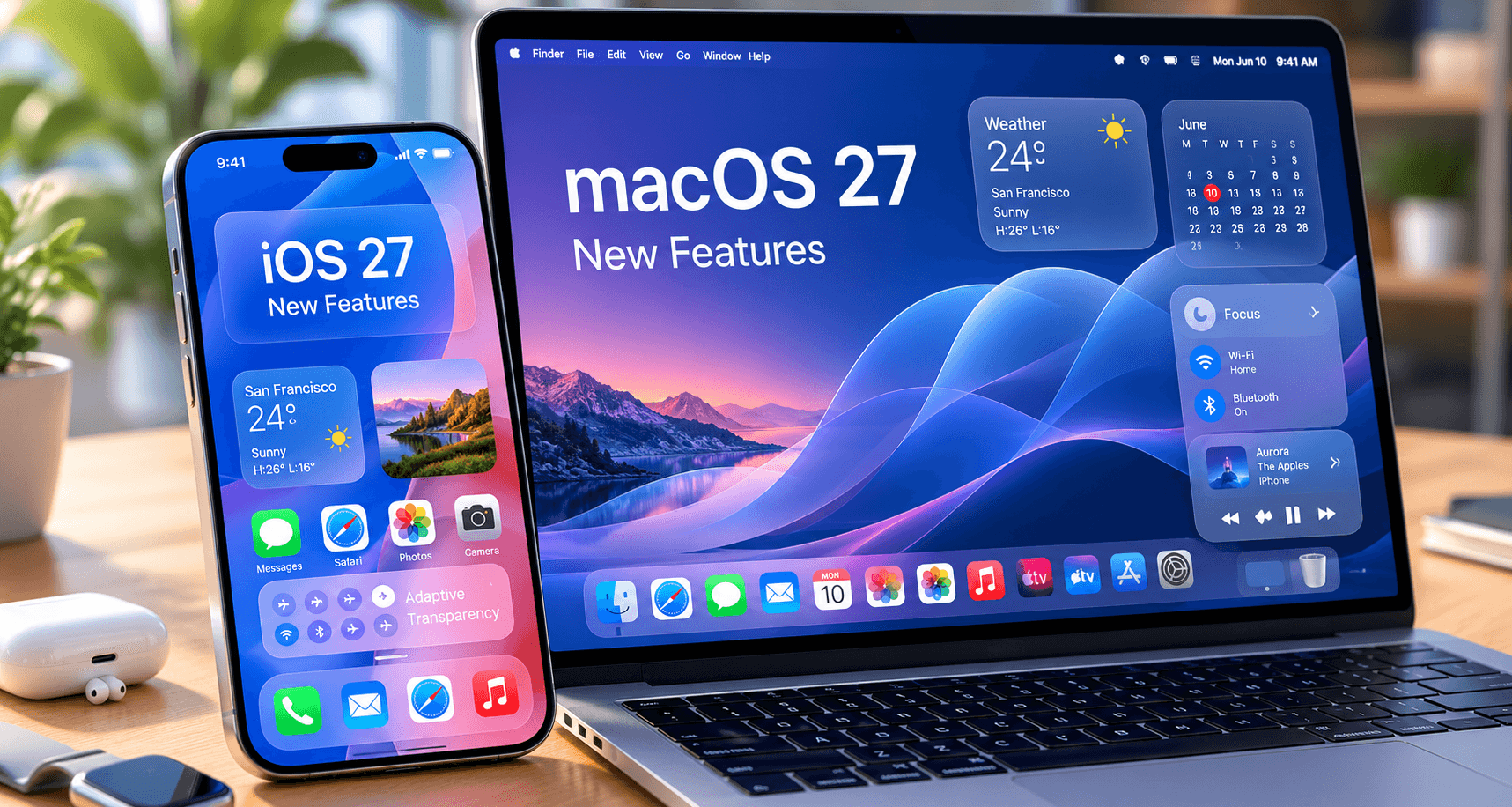
Apple just wrapped up WWDC 2026, and as usual, the keynote was a mix of genuinely useful features, incremental improvements dressed up as revolutions, and a healthy dose of “one more thing” theater. I watched the full two-hour keynote, read through every session description, and spent the past week on the developer betas of both iOS 27 and macOS 27.
Here’s what actually matters — filtered through what real users (not Apple marketing) will care about when these updates ship in September.
On this page
iOS 27: The Big Changes
1. Intelligent Notifications — Finally Solved
Apple’s notification system has been a mess for years, and iOS 27 finally fixes it properly. The new “Intelligent Notifications” feature uses on-device AI to categorize, prioritize, and summarize your notifications in real-time. Not just grouping by app — actually understanding content.
In practice: a text from your partner about dinner goes to “Priority.” A marketing email from a store you visited once goes to “Low Priority” and gets silently archived. A Slack message mentioning your name in a channel goes to “Mentions” with a brief summary of the context. After a week on the beta, I can confirm this works remarkably well. It reduced my notification interruptions by roughly 60% without me missing anything important.
2. On-Device LLM Integration
iOS 27 ships with a local language model that handles text summarization, email drafting, and smart replies without sending data to Apple’s servers. We covered this in detail in our AI gadgets article — on-device AI is finally practical, and Apple’s implementation is the most polished so far.
The model runs on the Neural Engine in A17 Pro and newer chips, which means iPhone 15 Pro is the oldest device that gets the full AI experience. If you’re on an iPhone 14 or older, you’ll get a stripped-down version that handles basic summarization but not the more advanced features.
3. Redesigned Control Center
The Control Center gets a complete overhaul with customizable pages, resizable toggles, and the ability to add third-party controls. You can now create a “Work” page with focus mode, VPN, and specific app shortcuts, and a “Home” page with smart home controls and music. It’s essentially what jailbreak tweaks offered 10 years ago, now built into the OS.
4. Live Translate Everywhere
Real-time translation now works system-wide — in any app, any text field, any conversation. Point your camera at a sign and the translation overlays in AR. Have a conversation and your phone translates in real-time through the speaker. The quality is noticeably better than Google Translate for European languages, roughly equal for Asian languages.
macOS 27: The Developer-Focused Update
1. Native Tiling Window Manager
macOS 27 finally adds a proper tiling window manager — not the half-baked Stage Manager, but actual keyboard-driven window tiling. Drag a window to a screen edge, and it snaps to half/quarter positions. Use keyboard shortcuts to tile windows in any arrangement. It’s essentially what Rectangle and Magnet have provided for years, now built into the OS.
For developers running coding monitors, this is a significant quality-of-life improvement. I can now tile my editor, terminal, browser, and documentation viewer in a 4-panel layout using only keyboard shortcuts, without any third-party apps.
2. Improved Terminal and Developer Tools
The built-in Terminal app gets a major refresh with tabs, split panes, and GPU-accelerated rendering. It’s still not as feature-rich as iTerm2 or Warp, but it’s good enough that many developers won’t need a third-party terminal anymore. Xcode 19 also brings AI-powered code completion that rivals GitHub Copilot for Swift development.
3. iPhone Mirroring 2.0
The iPhone Mirroring feature introduced in macOS 15 gets a major upgrade. You can now drag and drop files between Mac and iPhone, use your iPhone apps in resizable windows, and access your iPhone’s notification system directly from the Mac. For developers testing iOS apps, this reduces the need to constantly pick up and put down your phone.
What Reddit Thinks
The r/Apple and r/iOS subreddits have been active since the keynote. The consensus sentiment:
“iOS 27 is the update iOS 18 should have been. The notification system alone is worth the upgrade. The AI features are useful but not revolutionary — which is exactly what I want from Apple. Don’t be revolutionary, just make my phone work better.” — r/Apple
Most praised: Intelligent Notifications, tiling window manager, Control Center redesign. These are practical, everyday improvements that solve real pain points.
Most criticized: The AI features requiring A17 Pro or newer. Apple is essentially creating a two-tier experience where older (but still fast) devices get a stripped-down version. If you bought an iPhone 14 two years ago, your phone is still powerful enough for these features — Apple is just choosing not to support it.
Most divisive: The redesigned Photos app. Some users love the new AI-organized layout; others hate that Apple changed a workflow they’d been using for years. This happens with every major UI redesign.
Should You Upgrade?
iOS 27: Yes, when it’s stable
Wait for iOS 27.1 (usually October) rather than installing on day one. The features are genuinely useful, and the beta has been relatively stable — but “relatively stable for a beta” isn’t the same as “ready for your daily phone.” The notification improvements alone justify the upgrade.
macOS 27: Yes, if you’re a developer
The tiling window manager and terminal improvements make macOS 27 worth upgrading immediately for developers. For general users, the improvements are nice but not urgent — wait until your apps confirm compatibility.
Should you buy new hardware for iOS 27?
Only if your current phone is already struggling. The AI features are compelling but not essential. If you’re on an iPhone 13 or newer and your battery is healthy, there’s no reason to upgrade hardware just for iOS 27. If you’re on an iPhone 12 or older, you’ll want to upgrade soon — but for general performance reasons, not specifically for iOS 27 features.
For a deeper look at whether a phone upgrade is worth it, check our iPhone 17 long-term review for what the current flagship actually delivers in daily use.
The Bigger Picture
WWDC 2026 confirmed that Apple’s strategy is incremental refinement, not radical change. iOS 27 doesn’t reinvent the iPhone — it makes the iPhone you already have work better. That’s the right approach. The notification system, Control Center, and window management improvements are the kind of boring, practical changes that improve your life every day without requiring you to learn anything new.
The AI features are competent but not leading-edge. Apple is deliberately conservative with AI, prioritizing privacy (on-device processing) over capability (cloud-based models). Whether that’s the right tradeoff depends on your priorities — but for most users, Apple’s approach of “AI that works reliably for common tasks” is more useful than cutting-edge models that hallucinate occasionally.