You’re shopping for a monitor. You’ve narrowed it down to a size and resolution. Then you hit the panel type question: IPS, VA, TN, Mini-LED, OLED, QD-OLED, WOLED. The spec sheets treat these like self-explanatory labels, but unless you’ve spent time reading display technology forums, they’re meaningless abbreviations followed by marketing claims that all say “best-in-class color accuracy” and “stunning contrast.”
Here’s the version of this comparison I wish existed when I was shopping: what each technology does, what it’s genuinely better and worse at, and — most importantly — which one you should buy based on what you actually use a monitor for. If you already know what you want and need specific recommendations, our best monitors for coding guide and best gaming monitors under $400 guide cover individual models.
On this page
The Three Technologies in 60 Seconds
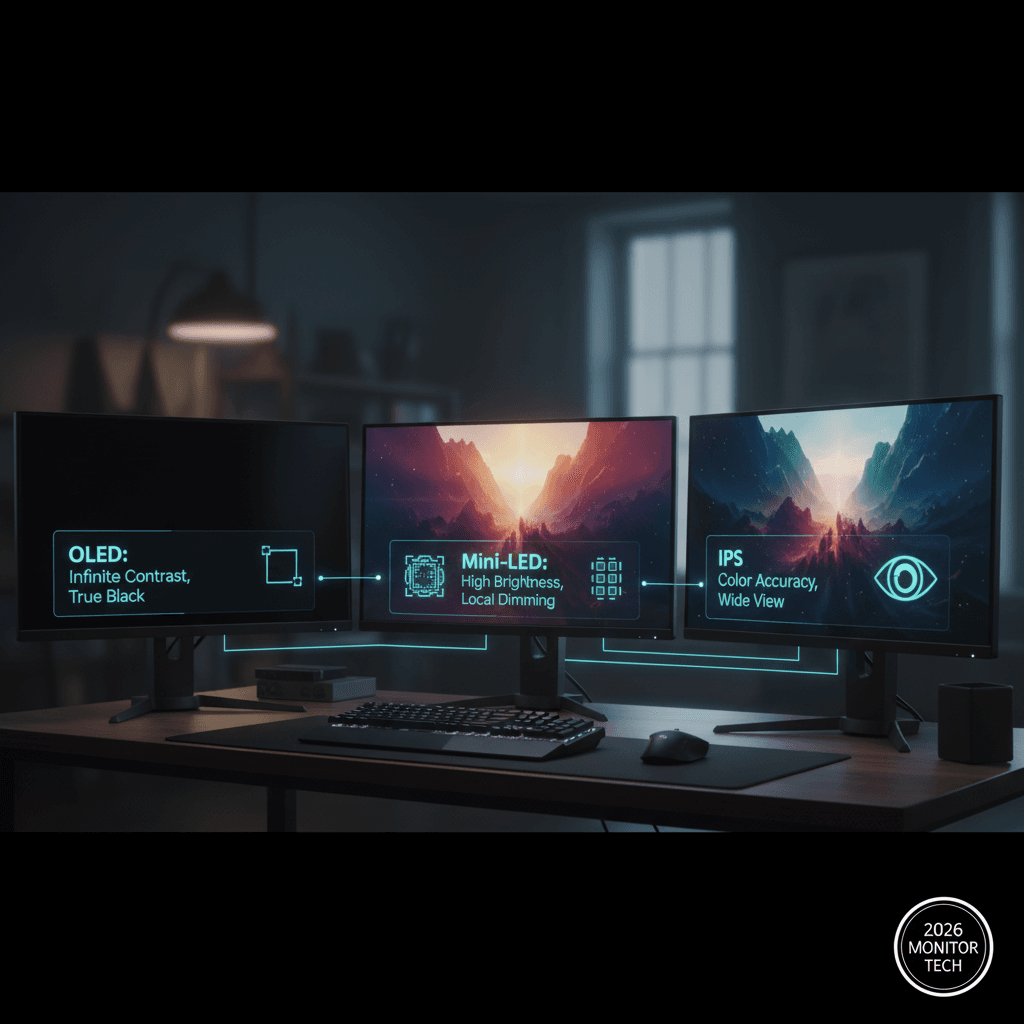
IPS (In-Plane Switching) uses a backlight behind an LCD layer. The backlight is always on; the LCD crystals rotate to control how much light passes through each pixel. It’s the default — the panel type in most monitors sold today.
Mini-LED is an IPS panel with a better backlight. Instead of one or a few backlight zones, Mini-LED uses thousands of tiny LEDs that can dim independently. This creates localized contrast — dark areas of the screen can be dimmed while bright areas stay bright. It’s IPS with a contrast upgrade.
OLED (Organic Light-Emitting Diode) eliminates the backlight entirely. Each pixel produces its own light. When a pixel is off, it’s truly off — zero light, perfect black. This gives OLED infinite contrast ratio and the deepest blacks of any display technology.
The Comparison That Matters
| Spec | IPS | Mini-LED | OLED |
|---|---|---|---|
| Contrast ratio | 1,000:1 | 10,000:1 – 20,000:1 | Infinite (true black) |
| Peak brightness | 300-500 nits | 1,000-2,000 nits | 400-1,000 nits (varies) |
| Black levels | Grayish (backlight bleed) | Very good (some bloom) | Perfect (pixel-off black) |
| Color accuracy | Good to excellent | Good to excellent | Excellent |
| Response time | 4-8ms | 4-8ms | 0.1-0.3ms |
| Viewing angles | Good (178°) | Good (178°) | Excellent (near-perfect) |
| Burn-in risk | None | None | Yes (with static content) |
| Lifespan concern | None | None | Organic degradation over years |
| Price (27″ 4K) | $300-600 | $600-1,200 | $700-1,300 |
IPS: The Reliable Default
IPS has been the dominant monitor panel type for over a decade, and it earned that position through consistent quality across every metric. IPS panels offer good color accuracy (most cover 99-100% sRGB), wide viewing angles (the image looks consistent from the side, unlike older TN panels), and sufficient brightness for indoor use.
The weakness is contrast. Because the backlight is always on behind the LCD layer, “black” pixels aren’t truly black — they’re dark gray. In a well-lit room, you barely notice. In a dark room watching a movie with dark scenes, or coding with a dark theme, the gray-black is obvious. That’s backlight bleed — the light leaking through pixels that are supposed to be dark.
IPS is the safe choice. It’s affordable, it does nothing poorly, and it has no lifespan concerns. For office work, coding, web browsing, and general productivity, IPS is perfectly adequate and the best value per dollar. The question isn’t whether IPS is good enough — it is — but whether the upgrades offered by Mini-LED or OLED are worth the price premium for your use case.
Best IPS monitors for:
- Coding: A 27″ 4K IPS at $350-500 is the sweet spot. Plenty of pixel density for sharp text, good brightness for any office, zero burn-in concern from static IDE layouts.
- Office work: A 27″ 1440p IPS at $200-300 if you don’t need 4K density. The price difference funds a better chair.
- Photo editing: A factory-calibrated IPS (Delta E < 2) in the $400-600 range. IPS color accuracy is excellent and sufficient for most professional work.
Mini-LED: The Middle Ground That’s Getting Better
Mini-LED takes the IPS formula and upgrades the weakest link: the backlight. Instead of a uniform backlight that illuminates the entire screen evenly (making blacks impossible because you can’t turn off the backlight without turning off everything), Mini-LED uses hundreds or thousands of individual LED zones that dim independently.
The result is dramatically improved contrast. Dark areas of the screen can be genuinely dark because the LEDs behind those areas dim or turn off. Bright areas stay bright because their LEDs stay at full power. The effect is most visible in high-contrast content — a bright text cursor on a dark IDE, a sci-fi movie with stars against space, a game with explosions in a dark cave.
The limitation is “blooming” — a halo effect around bright objects on dark backgrounds. Because the dimming zones aren’t pixel-level (they’re clusters of pixels), a bright white icon on a dark desktop will illuminate the surrounding zone, creating a subtle glow around the icon. Higher zone counts reduce blooming; Apple’s Pro Display XDR (576 zones) has noticeable bloom, while monitors with 2,000+ zones have much less. But no Mini-LED eliminates bloom entirely. Only OLED does, because OLED dims at the pixel level.
Mini-LED’s advantage over OLED is peak brightness. The best Mini-LED monitors hit 1,500-2,000 nits, versus 400-1,000 nits for OLED. In HDR content, Mini-LED specular highlights (sunlight glinting off water, explosions, chrome reflections) are noticeably more impactful. If you watch a lot of HDR content or work in bright environments, Mini-LED’s brightness advantage matters.
Best Mini-LED monitors for:
- Video editing / HDR: The brightness headroom makes HDR grading more accurate. You see the highlights as the audience will.
- Mixed use (coding + movies + gaming): Better contrast than IPS without OLED’s burn-in concern. The best compromise panel.
- Bright rooms: 1,000+ nits fights ambient light better than any other technology.
OLED: The Best Image Quality With Caveats
OLED produces the best image quality of any current display technology. This isn’t subjective — the physics of per-pixel light emission means infinite contrast, perfect blacks, instantaneous response time, and wide viewing angles by default. When a pixel is “black” on an OLED, it’s off. Zero photons. The contrast between a white pixel and an adjacent black pixel is mathematically infinite.
The difference is immediately visible in person. If you’ve seen an OLED TV at a store and noticed how the blacks looked impossibly dark compared to the LCD TVs next to it, that’s the same advantage in monitor form. For dark-themed applications — coding IDEs, video editing timelines, photo editing with dark UI — the experience is noticeably better than any IPS or Mini-LED.
QD-OLED (Quantum Dot OLED, used by Samsung and in some monitors like the Alienware AW3225QF) adds a quantum dot layer for wider color gamut and higher brightness. WOLED (White OLED, used by LG) uses a white OLED subpixel structure that’s slightly less vibrant but more mature in production. Both are excellent; QD-OLED has a slight edge in color vibrancy and brightness.
The burn-in reality in 2026
Burn-in is OLED’s Achilles heel for monitor use. Unlike TVs where content changes constantly, monitors display static elements for hours — taskbars, menu bars, IDE gutters, browser bookmarks. Over thousands of hours, these static elements can permanently “burn” into the panel as ghost images.
Modern OLED monitors mitigate this with pixel shifting (subtly moving the image by 1-2 pixels periodically), pixel refresh cycles (automatic compensation that runs when the monitor is off), and ABL (Auto Brightness Limiting, which dims static bright areas). These mitigations work — burn-in takes much longer to appear on 2025-2026 panels than on earlier generations — but they don’t eliminate the risk entirely.
“Running an OLED as a daily coding monitor for 14 months. Auto-hide taskbar, vary your wallpaper, and run the pixel refresh weekly. Zero burn-in so far. The image quality is worth the minor lifestyle adjustments.” — u/oled_daily_driver, r/Monitors
“Returned my OLED monitor after 6 months. Faint taskbar ghost visible on gray backgrounds. Was it usable? Yes. Did it drive me insane once I noticed it? Also yes. Went back to IPS and accepted the worse blacks.” — u/burnin_lesson_learned, r/ultrawidemasterrace
The honest answer: if you auto-hide your taskbar, use varied content, and run pixel refresh, an OLED monitor will likely last 3-5 years before burn-in becomes noticeable. Whether that lifespan is acceptable for a $700-1,300 investment depends on your tolerance for impermanence.
Best OLED monitors for:
- Photo/video editing: The contrast and color accuracy are objectively superior. Creative professionals who need the best image quality should buy OLED.
- Gaming: 0.1ms response time means zero motion blur. Combined with high refresh rates (240Hz on current panels), OLED is the best gaming display technology.
- Dark-room work: If you work in a dim environment with dark UI themes, OLED’s perfect blacks reduce eye strain and look stunning.
What About VA Panels?
VA (Vertical Alignment) panels offer a middle ground between IPS and OLED on contrast (typically 3,000-5,000:1 versus IPS’s 1,000:1). They’re popular in budget monitors and curved ultrawide screens. The trade-off is slower response times (often 8-15ms, causing visible ghosting in fast-paced games) and narrower viewing angles than IPS. VA is fine for casual use and media consumption on a budget, but it’s being squeezed out of the mid-range by falling Mini-LED and OLED prices. Our tech specs guide covers how to evaluate these numbers without getting misled.
The Decision Framework
Buy IPS if:
- Your budget is under $500 for a quality 27″ 4K monitor
- You want zero maintenance concerns (no burn-in, long lifespan)
- You primarily do office work, coding, or web browsing in well-lit rooms
- You keep monitors for 5+ years
Buy Mini-LED if:
- You want better contrast than IPS without burn-in risk
- You watch HDR content and want the brightness to do it justice
- Your budget is $600-1,200 and you want the best all-rounder
- You work in bright environments where peak brightness matters
Buy OLED if:
- Image quality is your top priority and you’ll accept the burn-in risk
- You work in a dark room with dark UI themes
- You’re a gamer who wants the fastest response time available
- You do creative work where contrast and color accuracy justify the premium
- You’re comfortable replacing the monitor in 3-5 years if burn-in appears
FAQ
Is OLED burn-in still a real problem in 2026?
It’s a reduced problem, not a solved one. Modern panels with pixel shifting, ABL, and periodic refresh cycles last significantly longer than early OLED monitors. But the physics haven’t changed — organic compounds degrade with use, and static content accelerates uneven degradation. It’s a calculated risk, not a myth.
Is Mini-LED worth the upgrade over standard IPS?
If you watch HDR content or work with high-contrast material (dark themes, video editing), yes — the contrast improvement is visible and meaningful. For basic productivity in a well-lit room with light UI themes, the difference is subtle and probably not worth the 2x price increase.
What about microLED?
MicroLED combines OLED’s per-pixel light emission with inorganic materials that don’t degrade (no burn-in). It’s the theoretical endgame technology. In practice, it’s currently available only in enormous, extremely expensive displays (Samsung’s The Wall, starting at $50,000+). Consumer microLED monitors are years away from affordable pricing. For now, it’s a “check back in 2028” technology.
Does panel type affect eye strain?
OLED can reduce eye strain in dark environments because there’s no backlight — only the lit pixels emit light. IPS backlights emit a constant level of light even through “dark” pixels, which adds to ambient brightness. However, the biggest factor in eye strain is overall brightness setting and ambient lighting match, not panel type. A properly calibrated IPS at appropriate brightness causes less strain than an OLED at max brightness in a dark room. Our 4K programming monitor analysis dives deeper into display ergonomics.